How Accountants Can Easily Send Tax Documents Online

How do accounting firms send tax letters and notices quickly during tax season? Many CPA firms now use a print and mail service to send mail online, allowing them to upload documents, send Certified Mail online, and handle large volumes of client communications without leaving their desks.


Tax season is busy enough without adding printing, envelope stuffing, and Post Office runs to the mix. Yet for many accounting firms, physical mail is still a necessary part of the job.

Engagement letters need signatures. Clients receive payment reminders. IRS notices sometimes require official mailed responses, and in certain situations, Certified Mail provides the documentation needed to prove that something was sent.

The challenge is volume. During tax season, those letters don’t go out one at a time—they go out by the dozens or hundreds. That’s why many CPA firms are turning to tools that allow them to send mail online using a print and mail service, eliminating manual mailing tasks while keeping the reliability of physical mail.

Why Physical Mail Still Matters for CPAs

Despite the rise of digital communication, physical mail continues to play an important role in the accounting world.

Many tax-related documents benefit from being sent as printed letters. They’re easier for clients to review, they provide a tangible reminder to take action, and in some cases, they create a clear paper trail that firms prefer to maintain.

Common tax-season mailings include:

  • Client engagement letters
  • Tax payment reminders
  • IRS notice explanations
  • Responses to IRS correspondence
  • Extension confirmations
  • Year-end or filing deadline reminders

In certain situations, accounting firms choose Certified Mail online to document when an important letter entered the postal system.

For CPAs managing hundreds or thousands of clients, the ability to handle these communications efficiently is critical.

Why Tax Season Mail Slows Down CPA Firms

Ask almost any CPA about tax season workflows, and you’ll hear the same story: time is tight, staff are stretched thin, and administrative tasks can pile up quickly.

Mailing letters the traditional way adds several extra steps to the day:

  • First, someone prints the documents.
  • Then they fold the letters and prepare envelopes.
  • Addresses are applied or labels printed.
  • Postage must be added or meters run.
  • Finally, someone makes a trip to the Post Office.

For a single letter, that may not seem like much. But multiply those steps across hundreds of clients, and suddenly hours disappear.

This is one reason accounting firms increasingly use platforms that allow them to send mail online through a print and mail service instead.

How CPAs Send Mail Online During Tax Season with LetterStream

LetterStream’s The Stream workflow makes it easy for accounting firms to send physical tax letters without handling printing, envelopes, or postage themselves.

The process is designed to be simple, even during the busiest weeks of tax season.

First, a CPA uploads the document they want to send—such as a tax reminder letter, engagement letter, or response to an IRS notice—in PDF format directly into The Stream.

Next, the firm uploads a list of recipients. Most accounting offices already maintain client information in spreadsheets or practice management systems, so uploading an Excel or CSV file typically takes only a few seconds.

Once the document and recipient list are loaded into The Stream, the firm selects how the letters should be sent. For most client communications, First-Class Mail works well. When documentation is needed, Certified Mail online can be selected directly within the same workflow. If you need to reach the recipient fast, there’s also the option to use FedEx 2Day.

After submitting the job, LetterStream handles the rest. The system prints the documents, prepares the envelopes, applies postage, and sends the letters through the United States Postal Service (USPS).

For the accounting firm, what used to require printing, folding, stuffing envelopes, and visiting the Post Office can now be handled in just a few minutes from a computer.

Sending Tax Letters to Hundreds of Clients at Once

One of the biggest advantages of using a print and mail service during tax season is the ability to send large mailings in a single step.

Instead of preparing letters one by one, accounting firms can upload a document once and distribute it to hundreds of recipients at the same time.

This approach works especially well for communications like:

  • Filing deadline reminders
  • Client document request letters
  • Tax payment notices
  • Extension confirmations
  • Engagement letters for new clients

Batch mailing tools allow firms to merge recipient data directly into documents, so each letter can include the client’s name, address, and relevant details automatically.

That means fewer manual edits and far fewer opportunities for mistakes.

When Certified Mail Matters for Tax Documents

While many tax communications are routine, others benefit from additional documentation.

That’s where Certified Mail online becomes useful.

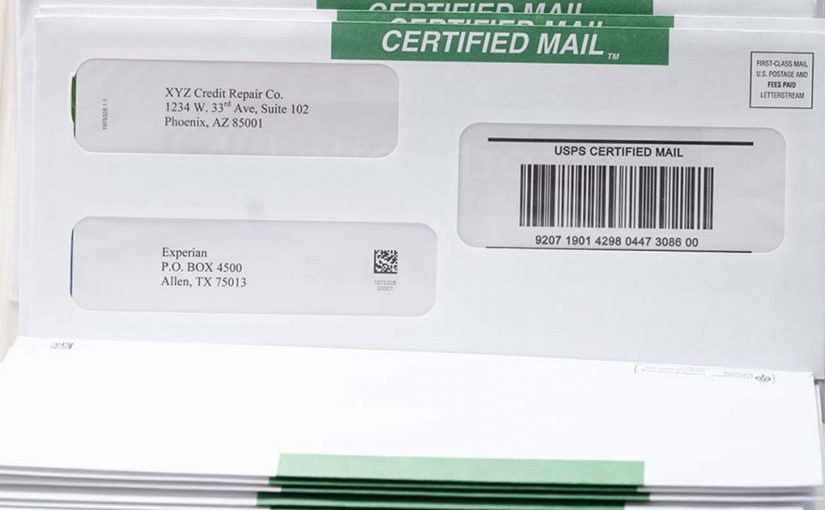
Certified Mail provides proof that a letter entered the USPS system, along with tracking information that helps confirm its movement through the postal network.

Accounting firms sometimes choose Certified Mail when sending:

  • Responses to IRS correspondence
  • Compliance-related notices
  • Time-sensitive legal documents
  • Important client communications requiring documentation

Using an online system allows CPAs to generate Certified Mail without filling out forms or standing in line at the Post Office.

Everything can be handled from the same platform used to send regular mail.

Reducing Administrative Work During the Busiest Time of Year

During tax season, the most valuable resource inside an accounting firm is time.

Staff needs to focus on preparing returns, advising clients, and meeting filing deadlines—not managing stacks of envelopes.

By using a print and mail service to send mail online, accounting firms can remove one more administrative burden from their workflow.

Instead of coordinating printing, postage, and trips to the Post Office, teams can upload documents in minutes and move on to more important tasks.

For firms handling large client bases, this simple change can save hours each week during the busiest part of the year.

A Simpler Way for Accounting Firms to Handle Tax Season Mail

Tax season will probably always involve a mix of digital communication and physical mail. Some documents simply work better as printed letters, and certain communications benefit from the documentation that mailed correspondence provides.

But that doesn’t mean accounting firms need to manage the entire process manually.

Today, CPAs can send mail online, distribute tax letters in bulk, and use Certified Mail when necessary—all without leaving their desks.

For firms looking to streamline operations during tax season, modern mailing tools offer a practical way to handle essential communications while keeping the focus where it belongs: serving clients.

To learn more about LetterStream or to sign up for a free account, click here.

LetterStream offers bulk printing and mailing services, allowing companies to send physical mail online. Whether it’s online Certified Mail, First-Class Mail, FedEx 2Day, or postcards, we give both small businesses and large corporations the time and freedom back to work on tasks that better serve the company. If you’re interested in creating a free account, you can do so here.

LetterStream small logo

How to Send Certified Mail Online

You can send Certified Mail online in minutes—no green cards, no Post Office lines, no manual forms. If you manage business-critical mail, Certified Mail should be part of a structured workflow, not a task that pulls you away from your desk. 

Certified Mail still carries legal and operational weight in 2026. HOAs rely on it for violation notices. Law firms use it for demand letters. Property managers depend on it for tenant communication. Healthcare administrators use it for compliance documentation. The list goes on. The question isn’t whether Certified Mail matters—it’s whether your process is built for speed, accuracy, reliability, and documentation. 

When you send Certified Mail online through The Stream at LetterStream, the entire process—from upload to USPS entry—moves through a defined, trackable path designed to eliminate manual steps and reduce risk. 

Here’s exactly how to send Certified Mail online—and why it’s smarter than the traditional process. 

Why Certified Mail Still Matters for Business 

Certified Mail, offered by the United States Postal Service (USPS), provides proof of mailing and a tracking number tied to your letter. When combined with a Return Receipt, it also provides a documented signature record. 

That documentation can support: 

  • Legal notice requirements 
  • Compliance verification 
  • Dispute resolution 
  • Internal recordkeeping 

In many industries, it’s not enough to say, “We sent the letter.” You may need to prove when it entered the USPS system and whether a signature was captured. 

Traditionally, sending Certified Mail required printing the letter, completing PS Form 3800, attaching labels, and waiting in line at the Post Office. That manual process slows teams down and increases the chance of errors. 

Sending Certified Mail online replaces that entire sequence with a structured digital workflow. 

Step-by-Step: How to Send Certified Mail Online 

Using a modern print and mail service like The Stream, the process is straightforward. 

Step 1: Upload Your Document 
Log in and upload your PDF. Whether it’s one letter or a batch, the file enters a secure workflow immediately. 

Step 2: Select Certified Mail 
Choose Certified Mail as your mail class. If you need signature confirmation, add Electronic Return Receipt during this step. 

Step 3: Review and Confirm 
Verify recipient addresses, return address, and mail class. This checkpoint protects accuracy before production begins. 

Step 4: Submit 
Once submitted, the document moves through printing, inserting, postage application, and entry into the USPS network—without you handling a single envelope. 

Tracking numbers are generated and stored in your account. If you selected Electronic Return Receipt (ERR), signature documentation becomes accessible digitally once it has been signed. 

That’s it. No trip across town. No retail counter. No handwritten forms. No chaos. 

When you send mail online this way, Certified Mail becomes part of your normal workflow instead of a special project. 

What You Can Gain by Sending Certified Mail Online 

The difference between manual processing and sending Certified Mail online isn’t just convenience, it’s control and consistency. 

Here’s what changes operationally: 

  • Tracking numbers are stored automatically 
  • Mailing history is centralized in your dashboard 
  • Signature records are accessible digitally 
  • Volume doesn’t increase complexity 
  • Staff time is freed up immediately 
  • No lost green cards 

For organizations sending recurring Certified notices—like law firms, HOAs, or property management firms—this shift can reclaim hours every week. 

Certified Mail shouldn’t disrupt your day. It should integrate into your existing systems. 

Can You Send Certified Mail Online in Bulk? 

We get this question a lot. Yes, you can send Certified Mail online in bulk. In fact, this is where online systems shine. 

If you’re sending one Certified letter per month, the traditional method may feel manageable. But if you’re sending dozens or hundreds, the math changes quickly. 

Bulk Certified Mail online allows you to: 

  • Upload multiple documents 
  • Apply Certified Mail settings at scale 
  • Generate multiple tracking numbers automatically 
  • Monitor status from one dashboard 

Instead of managing stacks of receipts, you manage a digital record. 

The Best Way to Send Certified Mail in 2026 

In 2026, most business systems are automated: 

  • Accounting platforms 
  • Property management software 
  • Legal case management tools 
  • Customer databases 
  • And more 

If Certified Mail is still being handled with paper forms and retail visits, it’s out of sync with the rest of your operations. 

Sending Certified Mail online aligns this critical communication channel with your broader digital infrastructure. 

At LetterStream, the focus is simple: be the best way to send mail, period. That means Certified Mail that’s fast, accurate, and reliable—without unnecessary steps. 

When your mail carries legal or operational consequences, the process behind it should be just as dependable. 

To learn more about LetterStream or to sign up for a free account, click here

LetterStream offers bulk printing and mailing services, allowing companies to send physical mail online. Whether it’s online Certified Mail, First-Class Mail, FedEx 2Day, or postcards, we give both small businesses and large corporations the time and freedom back to work on tasks that better serve the company. If you’re interested in creating a free account, you can do so here. 

LetterStream small logo

Why Fedex 2Day is Important for Businesses Sending Mail

FedEx 2Day offers guaranteed two-business-day arrival with tracking and an optional signature confirmation add-on—making it a powerful option when business-critical mail cannot wait. If you send mail online and occasionally need speed beyond First-Class Mail or Certified Mail online, understanding the benefits of FedEx 2Day helps you choose the right tool at the right time. 

Not every document requires an expedited service. But when it does, the difference between standard mail and two-day shipping can affect contracts, compliance timelines, and client expectations. 

Let’s break down when FedEx 2Day makes sense, and why it belongs in a modern print and mail service workflow, and how you can easily send it online using The Stream

What Is FedEx 2Day? 

FedEx 2Day is an expedited shipping service that provides arrival within two business days to most U.S. addresses. It includes tracking and time-definite commitment, meaning you know when your letters are scheduled to arrive. 

According to FedEx service descriptions, 2Day shipping is designed for urgent documents and packages that require reliable, predictable timing. 

While Certified Mail online focuses on documentation and proof of mailing, FedEx 2Day focuses on speed and predictability. 

That distinction matters. 

When Sending Mail Fast Is Important

Certified Mail online is often chosen for legal documentation and formal notice requirements. But there are scenarios where speed is the primary concern: 

  • Contracts that must be signed immediately 
  • Construction documents tied to project deadlines 
  • Healthcare documentation with tight timelines 
  • Financial agreements requiring rapid turnaround 
  • Court filings with imminent dates 

In these cases, waiting several days for First-Class Mail or days and even weeks for Certified Mail may introduce risk. 

FedEx 2Day provides a defined timeline that aligns better with urgent operational needs. Not only can you get your mail to your recipient fast, but you can also get a signature confirmation for an additional fee, just like you can with Certified Mail.

Key Benefits of FedEx 2Day 

Let’s look at the primary advantages of using FedEx 2Day to send business mail. 

1. Predictable Two-Business-Day Timeline 

FedEx 2Day is designed to arrive within two business days to most U.S. locations. That predictability allows you to plan around deadlines instead of estimating arrival windows. 

When timing affects contracts, penalties, or compliance, clarity matters. 

2. Full Tracking Visibility 

Unlike standard First-Class Mail, FedEx 2Day includes end-to-end tracking. You can monitor status updates as the shipment moves through the network. 

Tracking reduces uncertainty and allows internal teams to answer client or partner questions quickly. 

3. Enhanced Security and Controlled Handling 

For sensitive or high-value documents, security is often just as important as speed. FedEx 2Day envelopes move through a structured carrier network with detailed tracking scans and controlled handling procedures. 

When the contents are sensitive and time matters, the added control and visibility offer peace of mind that standard mail classes may not provide. 

Integrated Workflow Through The Stream 

This is where things get operationally powerful. 

LetterStream utilizes The Stream, which is the structured workflow that moves your document from upload to final handoff, all while being fast, accurate, and reliable. FedEx 2Day is not a separate process. It’s simply another path inside of The Stream. 

Here’s what that looks like: 

  • Upload your documents
  • Select FedEx 2Day
  • Review and confirm the details in your mailing
  • Submit your job

From there, The Stream handles the rest. Your document moves through a defined production path—printing, preparation, envelope insertion, and entry into the FedEx network—without manual juggling between vendors or systems. 

  • No separate FedEx account login. 
  • No printing labels in-house. 
  • No packaging at a shipping counter. 

Everything flows through the same centralized system you already use to send mail online. 

That consistency reduces administrative friction and lowers the risk of last-minute errors when deadlines are tight. 

FedEx 2Day vs. Certified Mail Online 

It’s not about which service is better. It’s about which service fits the situation. 

Choose Certified Mail Online When You Need: 

  • Proof of mailing 
  • Documented signature confirmation 
  • Compliance or legal documentation 

Choose FedEx 2Day When You Need: 

  • Speed 
  • Predictable two-day arrival 
  • End-to-end tracking 
  • Expedited document handling 

For some scenarios, documentation outweighs speed. For others, speed outweighs formal mailing proof. 

Understanding that distinction helps you avoid overpaying—or under-planning. 

Matching Mailing Speed to Importance 

Mail still plays a central role in formal communication. But not all mail carries the same urgency. 

At LetterStream, the focus is on being the best way to send mail online—while being fast, accurate, and reliable. That includes offering expedited options like FedEx 2Day when timing truly matters. 

The goal isn’t to rush everything. It’s to match service level to business impact. 

When deadlines are real and consequences are measurable, speed is not a luxury. It’s a strategy. 

To learn more about LetterStream or to sign up for a free account, click here

LetterStream offers bulk printing and mailing services, allowing companies to send physical mail online. Whether it’s online Certified Mail, First-Class Mail, FedEx 2Day, or postcards, we give both small businesses and large corporations the time and freedom back to work on tasks that better serve the company. If you’re interested in creating a free account, you can do so here. 

LetterStream small logo

Certified Mail Signature Confirmation: How Do I Get One?

A common question we get is: Can I get a Certified Mail signature confirmation? The answer is simple: yes, you can get signature confirmation when you send Certified Mail online—and if you’re handling legal, financial, or compliance documents, you probably should. 

Certified Mail is designed to provide proof that something was sent and that someone signed for it. When you use a print and mail service like The Stream at LetterStream, that entire process—from generating tracking to capturing signature records—can be handled online, and in your account, without standing in line at the Post Office. 

Let’s clarify how signature confirmation works, what it actually proves, and how to send Certified Mail online the smart way. 

What Does Certified Mail With Signature Confirmation Include? 

Certified Mail is a service offered by the United States Postal Service (USPS) that provides: 

  • A mailing receipt 
  • A unique tracking number 
  • Confirmation that the item was presented to the recipient 
  • A signature record (if Return Receipt is selected) 

According to USPS, Certified Mail provides the sender with proof of mailing, and it can be combined with Return Receipt (proof of signature).

There are two important components to understand: 

1. Certified Mail Tracking 
This confirms that your item was processed through the USPS system and shows key status updates. 

2. Return Receipt (Signature Confirmation) 
This provides documentation that someone signed for the mail piece. It can be electronic (Electronic Return Receipt) or physical (green card). 

When people ask, “Can I get a signature confirmation?” they’re usually referring to adding Return Receipt to Certified Mail. 

And yes—you can do this entirely online. 

Why Signature Confirmation Matters for Business Mail 

Not every letter requires a signature. But some absolutely do. 

For example: 

  • HOA violation notices 
  • Legal demand letters 
  • Compliance notifications 
  • Tenant-related communications 
  • Collections correspondence 

In these cases, it’s not enough to say, “We sent it.” You may need to prove: 

  • The date it was mailed 
  • The date it was presented 
  • That a signature was captured 

That documentation can be critical in court proceedings, disputes, or regulatory audits. 

When you send mail online using Certified Mail with Electronic Return Receipt (ERR) through The Stream, you gain digital access to tracking and signature records inside your account. That means no filing cabinets full of green cards and no manual spreadsheets tracking numbers. 

For organizations that send high volumes of formal correspondence, this is a significant operational upgrade. 

How to Send Certified Mail Online With Signature Confirmation 

Traditionally, sending Certified Mail required: 

  • Printing your letter 
  • Filling out PS Form 3800 (Certified Mail receipt) 
  • Attaching a green card (Return Receipt) 
  • Waiting at the Post Office counter 
  • Retaining physical copies for your records 

That process introduces time delays and manual errors. 

When you send Certified Mail online through LetterStream, the steps are streamlined: 

  1. Upload your PDF 
  1. Select Certified Mail 
  1. Add an Electronic Return Receipt (signature confirmation) 
  1. Confirm and submit 

The system applies the correct labeling and tracking automatically. Tracking numbers are stored in your dashboard, meaning you never have to type in a tracking number again. Signature documentation then becomes accessible digitally once processed by USPS. 

The key difference is control. You manage everything from your desk instead of a retail counter. 

Managing Certified Mail at Scale 

If you’re sending one certified letter per month, manual processing might feel manageable. 

If you’re sending fifty—or five hundred—it becomes a workflow problem. 

When HOAs send multiple violation notices, or law firms send batches of demand letters, the administrative load grows quickly: 

  • Tracking numbers must be recorded 
  • Status updates must be monitored 
  • Signature records must be retained 

Using a structured print and mail service centralizes that process. Instead of managing stacks of receipts, you access everything in one account. 

When you send mail online with LetterStream, Certified Mail tracking and signature confirmation are integrated into the same Stream as your other mail classes. That means consistency across your communications. 

Consistency reduces risk. And when business-critical mail is involved, risk reduction matters. 

The Smarter Way to Handle Signature Confirmation 

Signature confirmation isn’t about formality. It’s about documentation. 

If your organization depends on proof that notices were properly sent and acknowledged, Certified Mail online with Electronic Return Receipt provides that structure. 

The real shift isn’t just adding a signature option. It’s moving the entire process online: 

LetterStream focuses on being the best way to send mail online—that is, fast, accurate, and reliable. That includes making Certified Mail and signature confirmation simple enough to manage at scale without sacrificing control. 

Mail still carries legal and operational weight. The way you send it should reflect that. 

To learn more about LetterStream or to sign up for a free account, click here

LetterStream offers bulk printing and mailing services, allowing companies to send physical mail online. Whether it’s online Certified Mail, First-Class Mail, FedEx 2Day, or postcards, we give both small businesses and large corporations the time and freedom back to work on tasks that better serve the company. If you’re interested in creating a free account, you can do so here. 
LetterStream small logo

Law Firms and Legal Mail: Certified Letters, Notices, and Court Docs from Your Computer

Legal mail leaves no room for error, which is why law firms are increasingly sending certified letters, legal notices, and court documents online.

Legal mail is one of the most unforgiving parts of running a law firm. Certified letters, legal notices, and court documents must be accurate, sent on time, and supported with proof. When something goes wrong, the consequences can be serious.

However, many firms still rely on mailrooms with printers, manual handling, and disconnected steps to manage this critical mail. As volume increases, those processes make it easier to send the wrong document, miss a deadline, or lose track of records.

That’s why law firms are turning to The Stream at LetterStream. By sending legal mail online, firms replace manual workflows with a controlled, repeatable process. Documents are uploaded from a computer, mailing options stay consistent, and every letter follows the same reliable path.

As a result, law firms send Certified letters, legal notices, and court documents with greater accuracy, better visibility, and far less risk.

Why Manual Legal Mail Can Create Risk

Legal documents often carry strict deadlines and legal consequences. A missed notice or incorrect enclosure can create unnecessary exposure.

Manual processes also make it harder to document what was sent and when. Tracking versions, green cards, receipts, and timelines becomes fragmented, especially when multiple people handle the same mail.

As case volume grows, these risks increase. Law firms need systems that support precision rather than slow it down.

How Law Firms Can Send Legal Mail Online

Online mail services remove the manual steps that introduce risk.

That’s why many law firms are moving legal mail online. By shifting away from manual workflows, firms create a more controlled and repeatable way to send certified letters, legal notices, and court documents.

Solutions like The Stream allow legal teams to manage mail directly from their computer while reducing variability and risk. Instead of relying on printers and individual handling, firms use a consistent process designed for accuracy and accountability.

As a result, law firms send critical legal mail with greater confidence, clearer visibility, and far fewer opportunities for error.

When Certified Mail Matters Most

Certified Mail plays a critical role in legal communication.

It is commonly used for notices that require proof, such as compliance letters or formal notifications. Using a consistent system helps ensure Certified Mail is handled correctly every time.

Many law firms rely on online Certified Mail to avoid manual tracking, paperwork, errors, and the effort of going to the Post Office. This simplifies record keeping while maintaining confidence that important mail was sent properly.

Why Law Firms Choose LetterStream

Law firms choose LetterStream because The Stream creates structure and predictability for legal mail.

The Stream is a controlled mailing workflow that removes guesswork from critical communication. Rather than relying on office printers, disconnected steps, and manual checks, firms follow one consistent process for every mailing.

With The Stream, legal teams upload documents from their computer while StreamLogic manages the workflow. This establishes a repeatable path for Certified letters, legal notices, and court documents, helping ensure each piece is handled the same way every time.

Tracking is built directly into the account, so attorneys never need to manually enter a Certified Mail tracking number. This keeps records organized and visibility clear across all mailings.

The benefits are immediate and practical. Firms see improved accuracy, clearer tracking, and stronger documentation without added complexity. Teams spend less time managing mail and more time focused on legal work.

Whether sending a small batch of notices or managing high-volume case mail, The Stream scales smoothly while maintaining consistency and control.

A Smarter Way to Handle Legal Mail

Legal mail demands precision and reliability.

Sending Certified letters, notices, and court documents from your computer gives law firms greater control without adding operational burden. With The Stream firms manage critical communication with confidence and consistency.

When legal mail matters, sending it online is the smarter choice.

To learn more about LetterStream or to sign up for a free account, click here.

LetterStream offers bulk printing and mailing services, allowing companies to send physical mail online. Whether it’s online Certified Mail, First-Class Mail, FedEx 2Day, or postcards, we give both small businesses and large corporations the time and freedom back to work on tasks that better serve the company. If you’re interested in creating a free account, you can do so here.
LetterStream small logo

How to Send a Physical Letter from Your Computer: Step-by-Step Tutorial

Sending a physical letter no longer requires printers, envelopes, or a rushed trip to the Post Office. Today, you can upload a document from your computer and send real mail online quickly, accurately, and reliably. This guide walks you through the process step by step so you can mail important documents without leaving your desk.

Why Sending a Letter Online Is So Simple Now

In the past, mailing a letter meant printing, folding, stuffing, applying stamps, and hoping everything worked correctly. Then it meant driving to the Post Office and waiting in line for what can seem like forever. Modern print-to-mail tools replace all that effort with a cleaner digital workflow. You upload your file, choose your mailing options, and the system prints and sends your mail for you.

This process is powered by controlled workflows—like The Stream—which keeps each piece of mail moving quickly, accurately, and reliably, and it’s what allows 94% of mail at LetterStream to go out the next day.

Here’s a breakdown of how The Stream at LetterStream works:

Step 1: Prepare Your Document

Start by saving your letter as a PDF. PDFs work best because they preserve formatting and ensure your mailed letter looks exactly as intended. If you’re sending statements, notices, or legal documents, double-check that your formatting is clean and readable.

A quick review now prevents address issues, formatting problems, or missing pages later.

Step 2: Upload Your File to a Print-to-Mail Platform

Next, log in to a platform like LetterStream and upload your PDF. You’ll see prompts to confirm the address, choose your mail class, and decide whether you need tracking. Because everything is handled online, you avoid equipment hassles, supply runs, and last-minute printer issues.

Step 3: Choose How You Want the Letter Sent

From here, you choose the type of mail that fits your needs. You can send:

Each option helps you send mail online without touching physical envelopes or supplies.

Step 4: Review and Approve Your Letter

Before sending, you’ll see a preview of your document. This step lets you confirm:

  • The correct address appears in the windowed envelope
  • All pages are included
  • Your formatting looks right
  • You selected the correct mail class

Once everything looks good, click send. The Stream takes over from there—printing, preparing, and routing your mail through the appropriate mailing channel.

Step 5: Track and Manage Your Mail Online

After sending your letter, you can log in anytime to track its progress. This helps you confirm when your mail is processed and when it’s been mailed. For Certified Mail and FedEx 2Day, tracking provides added assurance that your document was sent and handled correctly. You can also opt for a Certified Mail Electronic Return Receipt, which requires a signature when the letter arrives at its destination. This can all be tracked and seen in your dashboard.

Why More Businesses Mail This Way

Sending mail online supports efficiency, especially for organizations that send recurring or time-sensitive communications. Teams avoid equipment issues, reduce administrative labor, and send mail quickly, accurately, and reliably. Whether you’re mailing invoices, notices, statements, or legal documents, the entire workflow becomes easier.

Fast, Accurate, Reliable Mail

Mailing a physical letter no longer requires manual effort. With modern print-to-mail tools, you can upload a document, choose your options, and let the system print and send your letter with speed, accuracy, and reliability. Whether you’re mailing a single notice or managing high-volume communication, sending mail online keeps your workflow simple and efficient.

To learn more about LetterStream or to sign up for a free account, click here.

LetterStream offers bulk printing and mailing services allowing companies to send physical mail online. Whether it’s online Certified Mail, First-Class Mail, FedEx 2Day, or postcards, we give both small businesses and large corporations the time and freedom back to work on tasks that better serve the company. If you’re interested in creating a free account, you can do so here.
LetterStream small logo

How to Start the Year With Fewer Mailing Errors

Mailing problems rarely announce themselves ahead of time.

What often feels manageable at the end of the year—manual checks, outdated address lists, informal approvals—can quickly become disruptive once January workloads hit. Volume increases, expectations reset, and suddenly small issues begin surfacing daily.

The start of the year is when mailing weaknesses stop hiding. It’s also the best time to address them before they turn into routine fire drills.

Reducing mailing errors isn’t about tightening the screws on your team. It’s about fixing the conditions that make mistakes more likely in the first place.

Why Mailing Errors Spike Early in the Year

January tends to compress multiple changes into a short window. Staff transitions, new compliance timelines, updated systems, and increased mail volume often overlap.

When workflows aren’t clearly defined, teams compensate with memory and workarounds. Someone remembers how it was done last year. Someone else makes a quick judgment call to keep things moving.

That flexibility feels helpful—until volume and urgency remove the margin for error. At that point, mistakes become harder to catch and even harder to correct.

The Hidden Cost of Constant Fire Drills

Mailing fire drills don’t just waste time. They disrupt focus.

Last-minute fixes pull people away from priority work. Corrections are rushed. Accuracy suffers under pressure. And when these situations happen repeatedly, they begin to feel normal—even expected.

Over time, this reactive cycle weakens confidence in the process. Teams stop trusting that mail went out correctly. Leadership loses visibility. Operational risk quietly increases.

Fire drills aren’t a sign of bad intent. They’re a sign that the process itself isn’t built to handle real-world conditions.

Why Address Lists Are Often a Real Problem

One of the most common—and overlooked—sources of mailing errors is address data.

Outdated records, duplicate entries, formatting inconsistencies, and missing unit numbers all lead to returned mail, delivery delays, and rework. These issues don’t always show up immediately, but they compound quickly once volume increases.

January is an ideal time to clean up address lists if you didn’t get around to it in December, because teams are already reviewing systems, budgets, and workflows.

Address-list cleanup helps reduce:

  • Returned and undeliverable mail
  • Delays caused by re-sending documents
  • Confusion over whether mail actually reached the recipient

Clean data supports everything else you’re trying to improve. Even the most reliable mailing process struggles when the underlying address information isn’t accurate. LetterStream offers both CASS (Address List Cleanup) and NCOA (Deluxe Address List Cleanup) services to help verify, correct, and standardize your mailing addresses using official USPS data. Learn more about these services here.

How Process Consistency Reduces Risk

Consistency removes guesswork.

When every mailing follows the same preparation, approval, and sending steps, accuracy improves naturally. Teams don’t have to remember exceptions or improvise under pressure. The process does the work for them.

This consistency also makes it easier to onboard new team members and handle higher volumes without disruption. Everyone knows what “done” looks like.

Many organizations reduce errors by centralizing critical mail online—especially communications that require tracking and proof, such as Certified Mail. When tracking and documentation are built into the workflow, fewer details are left to chance.

Why January Is the Right Time to Reset

Addressing mailing issues early prevents months of repeated frustration.

A proactive reset creates predictability. Teams spend less time fixing mistakes and more time executing confidently. Mail stops interrupting the day and starts supporting it.

January is also when many organizations review mailing volume and costs to ensure their process still aligns with operational and budget goals. Making adjustments now is far easier than doing so mid-year.

Building a More Stable Mailing Process for the Year Ahead

Reducing mailing errors early leads to calmer teams and better outcomes. Stability doesn’t happen accidentally—it’s built through clear workflows, accurate data, and dependable systems.

When mailing runs smoothly, teams stop reacting and start moving forward.

That’s what fewer errors and fewer fire drills really deliver.

To learn more about LetterStream, click here:

LetterStream offers bulk printing and mailing services allowing companies to send physical mail online. Whether it’s online Certified Mail, First-Class Mail, FedEx 2Day, or postcards, we give both small businesses and large corporations the time and freedom back to work on tasks that better serve the company. If you’re interested in creating a free account, you can do so here.

LetterStream small logo

New Year, New Mailing Strategy: Why “This Is How We’ve Always Done It” No Longer Works

January has a way of exposing habits. As teams return to full speed, mail volume picks back up, deadlines reappear, and familiar workflows snap back into place. What felt manageable last year can suddenly feel inefficient, risky, or unnecessarily manual.

For many organizations, business mail hasn’t been approached strategically — it’s been handled out of habit. Processes were built years ago, adjusted on the fly, and rarely revisited unless something broke.

The new year is the right moment to rethink that approach.

A new mailing strategy isn’t about adding more tools or complexity. It’s about deciding, intentionally, how mail should support the business — with consistency, visibility, and less friction for everyone involved.

Routines Aren’t the Same as Strategy

Most companies don’t think of mail as something that needs a strategy. It simply exists as part of the workflow.

Mail gets printed when it’s ready. Someone “owns” it informally. Tracking lives in a spreadsheet or an inbox thread. And as long as nothing goes wrong, the process stays in place.

Over time, those routines create blind spots. Mail becomes inconsistent. Visibility disappears. Accountability gets fuzzy. And when volume increases or compliance enters the picture, small inefficiencies turn into real problems.

A mailing strategy starts by acknowledging that mail touches multiple departments and carries real business risk. It deserves the same level of planning as any other operational process.

Visibility Is the Foundation of a Strong Mailing Strategy

If there’s one place every modern mailing strategy should start, it’s visibility.

Teams need a clear answer to simple questions: what was sent, when it was sent, how it was sent, and who approved it. When that information lives across shared drives, emails, and spreadsheets, confidence erodes quickly.

Sending mail online through a centralized system changes that dynamic. Mail activity becomes searchable and consistent. Records don’t depend on someone remembering to log them. And leadership gains clarity without chasing updates.

Visibility isn’t about oversight — it’s about trust. When teams can see what’s happening with mail, they stop second-guessing the process.

Consistency Outperforms Speed

Speed often gets credit as the primary goal, but consistency is what keeps mail from becoming a liability.

A reliable mailing strategy ensures documents are formatted correctly every time, addresses and data remain accurate, and mail follows predictable workflows. This matters most for business-critical communications like invoices, notices, legal documents, and compliance mail.

Mistakes in these areas cost far more than a delayed send. One error can trigger rework, disputes, or regulatory risk.

Using a dependable print and mail service removes unnecessary variation. Mail follows the same path every time, reducing errors and eliminating the need for constant checks and fixes.

Certified Mail Shouldn’t Be an Exception

Certified Mail is often where weak strategies show themselves.

Instead of being part of a unified workflow, it’s treated as a special case — printed separately, taken to the Post Office, tracked manually, and filed inconsistently. Each step introduces more room for error.

Certified Mail online eliminates that fragmentation, especially when using LetterStream. Tracking, proof, and records live in the same system as the rest of your mail. Status updates are available without extra follow-ups. Documentation is there when it’s needed, not when someone remembers to look for it.

A strong mailing strategy doesn’t rely on exceptions. It creates processes that work consistently across all mail types.

The Hidden Cost of Manual Mail Is Time

Mail rarely looks expensive on the surface. The real cost shows up in the hours it quietly consumes.

Manual workflows pull time away from operations, finance, legal teams, and office staff — often in small increments that add up quickly. Printing, sorting, stuffing, correcting errors, and answering status questions all steal focus from higher-value work.

Business mail automation changes that equation. By removing repetitive tasks from daily workflows, teams regain time and momentum — especially in the first quarter, when priorities are being set for the year ahead.

January is the best moment to reclaim that time before inefficient habits settle back in.

Mail Should Scale Without Creating Complexity

As organizations grow, mail volume grows with them. Without a clear strategy, that growth leads to more people involved, more handoffs, and more opportunities for mistakes.

A centralized mailing strategy allows mail to scale smoothly. Volume increases don’t require more oversight or more manual work — just better systems that handle growth without disruption.

When mail is designed to scale, it stops feeling like a bottleneck and starts functioning like infrastructure.

The Best Time to Change Is Before Something Breaks

Most companies revisit their mail process only after a problem surfaces — a missed notice, a compliance issue, or a customer complaint.

January offers a better opportunity.

Starting the year with a thoughtful mailing strategy reduces surprises later. It brings clarity, consistency, and confidence to a process that often runs in the background but carries real importance.

You don’t need to overhaul everything at once. You just need to be intentional.

That’s how mail stops being a reactive task and becomes a reliable part of how your business operates.

To learn more about LetterStream, click here.

LetterStream offers bulk printing and mailing services allowing companies to send physical mail online. Whether it’s online Certified Mail, First-Class Mail, FedEx 2Day, or postcards, we give both small businesses and large corporations that time and freedom back to work on tasks that better serve the company. If you’re interested in creating a free account, you can do so, here.

LetterStream small logo

News Alert: Mail Delays in Kansas City and Louisville Due to Winter Storm

News Alert

Winter storms across the Midwest have created hazardous road conditions that are now affecting USPS operations. In a new industry alert, the USPS announced unload delays at major processing facilities in Kansas City, MO and Louisville, KY, which may impact mail movement through December 5.

What the USPS Shared in Its Alert

According to the USPS, recent snow events caused extended road closures earlier this week, resulting in a buildup of inbound trailers at both affected facilities. With higher-than-normal volume arriving in a short window, these locations are now experiencing delays unloading incoming mail trucks.

The USPS advised that drop ship customers may see longer wait times and should continue reporting significant issues through the FAST Helpdesk. They also noted active efforts to reduce congestion, including staffing adjustments, scheduled offloads, and alternative drop-site arrangements.

(Reference: USPS Industry Alert — https://postalpro.usps.com/node/14698)

Alternate Entry Locations Recommended by USPS

To keep mail moving, the USPS suggested that customers entering mail at origin consider temporarily using alternate locations.

Kansas City, MO Alternate Sites

  • Oklahoma City, OK Processing & Distribution Center — NASS 730
  • Des Moines, IA Network Distribution Center — NASS 50Z

Louisville, KY Alternate Sites

  • Springdale, OH Annex — NASS 452AX
  • Memphis, TN Processing & Distribution Center — NASS 380

These sites may help relieve pressure on the two impacted facilities until weather-related backlogs improve.

How This Affects LetterStream Customers

If you use LetterStream to print and send mail online, your mailing workflow remains uninterrupted. Our systems continue to process and route mail quickly, accurately, and reliably. However, USPS transport conditions may still affect nationwide transit times, especially during winter months.

For more background on USPS operational changes, you may find these helpful:

If you need a refresher on mailing options, explore: https://www.letterstream.com/

Helpful Tips During Weather-Related USPS Delays

Winter conditions can shift quickly, so this is a good time to review your mailing strategy.

Consider:

  • Mailing earlier when deadlines matter
  • Monitoring USPS service alerts
  • Using tracking services like Certified Mail or FedEx 2Day for visibility
  • Adjusting internal timelines to accommodate possible slowdowns

Staying Updated Through December

The USPS noted that it is actively monitoring weather impacts and making ongoing adjustments to maintain operational flow. As new updates become available, we’ll continue to provide timely summaries to help you stay ahead of potential disruptions.

To learn more about LetterStream or to sign up for a free account, click here.

LetterStream offers bulk printing and mailing services allowing companies to send physical mail online. Whether it’s online Certified Mail, First-Class Mail, FedEx 2Day, or postcards, we give both small businesses and large corporations that time and freedom back to work on tasks that better serve the company. If you’re interested in creating a free account, you can do so here.
LetterStream small logo

Easily Protect Your Business and Recipients From Mail Fraud and Scams

Mail has always been one of the most trusted ways to communicate — tangible, trackable, and personal. But in today’s environment, where digital and physical threats overlap, even the mail stream isn’t immune to fraud.

Businesses that rely on physical mail for invoices, statements, legal notices, or compliance documents must stay alert to the risks of mail fraud and scams. And with technology making it easier than ever to mimic official correspondence, protecting your business and your recipients requires a mix of vigilance, education, and smart mail management.

For organizations using a print and mail service like LetterStream, it’s not just about sending mail efficiently; it’s about ensuring that what’s sent is genuine, secure, and trusted.

Understanding Mail Fraud in Today’s Environment

Mail fraud has evolved beyond fake sweepstakes and counterfeit checks. Today, scammers use both digital and physical tactics to exploit trust in legitimate mail.

They may send letters that mimic a real company’s logo or wording, asking recipients to verify personal information. Others include QR codes or URLs that lead to phishing sites. In some cases, businesses themselves become victims — when fraudsters use their name, address, or branding to send deceptive mail that damages reputation and erodes customer trust.

For recipients, these scams often look convincing. For senders, even one fraudulent letter can create confusion, lost business, or compliance risk. That’s why organizations handling business-critical mail must implement safeguards at every stage, from data preparation to final delivery.

Common Types of Mail Fraud Targeting Businesses

Mail fraud can take many forms, but a few patterns appear most frequently:

Impersonation and brand misuse: Fraudsters imitate your company or a government agency using stolen logos, names, or templates to trick recipients into sending money or personal data.

Phishing-by-mail (also known as “smishing hybrids”): Scammers send physical letters with QR codes or web links that direct users to fake login pages.

Invoice and payment scams: Some criminals send convincing “replacement invoices” to redirect legitimate payments to fraudulent accounts.

Check theft and mail interception: Criminals target unlocked mailboxes or outgoing business mail to steal checks, documents, or credentials.

Each of these tactics relies on one thing: trust in the mail itself. Protecting that trust means combining secure mailing practices with recipient awareness.

How to Protect Your Business and Recipients

The best defense against mail fraud starts long before a letter leaves your office. Here are practical strategies to strengthen your mailing process and reduce exposure:

1. Secure Your Mailing Workflow

Limit access to sensitive data and production files. If you print in-house, control who can generate or approve official correspondence. If you outsource, choose a print and mail service with established data security protocols, encrypted uploads, and full tracking — like LetterStream’s secure platform.

2. Use Trackable and Verifiable Mail Classes

For critical or high-value communications, consider Certified Mail online or other traceable options. These services provide proof of mailing and delivery, making it harder for fraudulent mail to impersonate official correspondence.

3. Educate Recipients

Add small but effective fraud prevention elements to your mailpieces. For example, include a consistent return address, branded design, and clear contact information so recipients can verify authenticity. Educate your customers or members on what your legitimate mail looks like — and what it never includes (like requests for personal data or payments via third-party links).

4. Monitor for Unauthorized Use of Your Brand

Regularly check for fake mailings or lookalike campaigns using your organization’s name. Partner with your postal or compliance teams to report potential mail fraud to the USPS Inspection Service or the FTC.

5. Keep Your Data Clean and Your Process Documented

Fraudsters often exploit outdated mailing lists or unsecured workflows. By maintaining accurate recipient data and documenting your print-and-mail process, you reduce the chances of misdirected mail or data leaks that could be abused.

How LetterStream Supports Secure, Trusted Mail

At LetterStream, security and integrity are built into every mailing process. Our platform allows businesses to upload PDF documents securely, select mail classes, and track delivery with Certified Mail and FedEx 2Day from production to receipt. Each file is processed within a controlled, encrypted environment — minimizing handling, reducing the risk of interception, and ensuring confidentiality for both sender and recipient.

We also help organizations maintain consistency and professionalism in their printed materials — a key factor in building trust and deterring fraud. Whether you’re sending Certified Mail, First-Class Mail, or large-scale campaigns, your recipients will recognize your mail as legitimate, accurate, and on-brand.

Keep Your Mail Protected

Mail fraud may be evolving, but the solution is still rooted in diligence, design, and trusted delivery.

By tightening your processes, using secure services, and partnering with a reliable print and mail provider, you can protect both your organization and your recipients from scams.

Because in the end, trust is what keeps business mail powerful — and it’s worth protecting.

To learn more about LetterStream, click here.

LetterStream offers bulk printing and mailing services allowing companies to send physical mail online. Whether it’s online Certified Mail, First-Class Mail, FedEx 2Day, or postcards, we give both small businesses and large corporations that time and freedom back to work on tasks that better serve the company. If you’re interested in creating a free account, you can do so here.
LetterStream small logo