Nonprofit Fundraising Letters: How to Mail Appeals Without Leaving Your Desk 

Nonprofit fundraising letters remain one of the most effective ways to connect with donors, but mailing them by hand slows campaigns down.  

Printing, organizing, and managing appeals manually pulls staff away from donor engagement and mission-driven work. 

Mailing fundraising letters online allows nonprofits to stay efficient while keeping their focus where it belongs. By using The Stream, LetterStream applies a structured mailing process that keeps fundraising appeals moving quickly, accurately, and reliably from upload to mail-out. 

For organizations with small teams and limited resources, simplifying mail operations can make a meaningful difference. 

Mailing Fundraising Appeals Online 

Mailing fundraising appeals online removes the need for in-house equipment and hands-on processing. Instead of managing printers, paper, and postage, nonprofits upload their appeal letters from a computer and manage the entire mailing process digitally. 

This approach allows organizations to send physical fundraising letters without handling them manually. It works well for one-time campaigns, seasonal appeals, and recurring donor communication, all while maintaining consistency across every mailing. 

Why Physical Fundraising Letters Still Matter 

Digital outreach plays an important role in nonprofit communication. However, physical fundraising letters continue to stand out with supporters. Letters are more likely to be opened, read, and remembered because they feel personal and intentional. 

Physical fundraising mail offers several advantages: 

  • Higher engagement compared to email alone
  • A tangible experience that builds donor trust
  • Less competition than crowded digital inboxes

Mailing letters online allows nonprofits to keep the impact of physical mail without the manual effort traditionally required to send it. 

Why Nonprofits Choose LetterStream 

Nonprofit teams often work with limited staff, tight budgets, and strict timelines. LetterStream helps charitable and nonprofit organizations send fundraising mail without adding administrative burden. 

Instead of managing multiple tools or manual steps, nonprofits use a repeatable workflow designed to support accuracy and scale. This approach helps organizations stay compliant, organized, and on schedule during critical fundraising periods. 

Nonprofits use LetterStream to: 

  • Upload appeal letters securely from their desk
  • Save staff time during fundraising campaigns
  • Reduce errors caused by manual mail handling
  • Scale mail volume without increasing workload
  • Print and send mail online quickly, accurately, and reliably
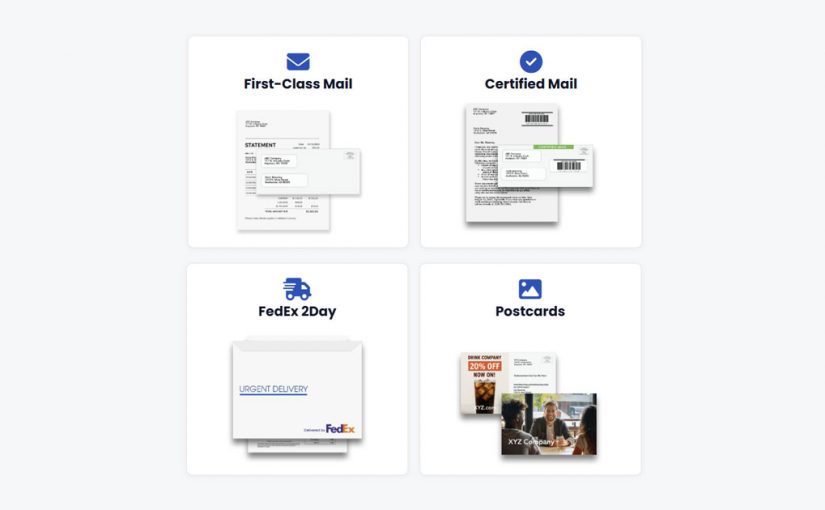
  • Send First-Class, Certified Mail, FedEx 2Day, and postcards online

Behind the scenes, The Stream helps nonprofits get their mail out quickly and efficiently. These systems help maintain accuracy, timing, and reliability from start to finish, even as mailing volumes increase. 

Whether sending hundreds or thousands of fundraising letters, LetterStream helps meet nonprofit needs without pulling attention away from mission-focused work. You can learn more about how LetterStream supports charitable and nonprofit organizations here
 

A Smarter Way to Run Fundraising Campaigns 

Fundraising success depends on timing, consistency, and trust. Mailing appeals online allows nonprofits to move quickly while maintaining accuracy across every letter sent. 

By simplifying the mailing process, organizations gain more time to focus on donor relationships, program growth, and long-term impact. When every appeal matters, sending fundraising letters online is simply the smarter way to work. 

To learn more about LetterStream or to sign up for a free account, click here

LetterStream offers bulk printing and mailing services, allowing companies to send physical mail online. Whether it’s online Certified Mail, First-Class Mail, FedEx 2Day, or postcards, we give both small businesses and large corporations the time and freedom back to work on tasks that better serve the company. If you’re interested in creating a free account, you can do so here. 

LetterStream small logo

Sending Collection Letters from Your Computer: Best Practices and Compliance Basics

Sending collection letters from your computer is one of the most effective ways to stay compliant, reduce errors, and maintain consistency across every notice you send. For businesses handling past-due accounts, how mail is sent matters just as much as what the letter says.

Collection letters are sensitive by nature. They must be accurate, timely, and sent with care. When businesses rely on manual mailing, small mistakes can quickly turn into compliance concerns and operational slowdowns.

Modern technology now offers a smarter alternative to manual operations. By using The Stream, LetterStream applies a structured mailing process that keeps every collection letter moving quickly, accurately, and reliably from upload to mail-out.

Why Collection Letters Require Extra Care 

Collection letters are not simple reminders. They often carry legal and financial implications, which means accuracy and timing are critical. 

Errors in documents, recipient details, or mailing schedules can create unnecessary risk. Manual processes make it harder to control these details, especially at scale. Printing the wrong version, missing a notice, or sending letters late can undermine collection efforts. 

For this reason, consistency and documentation are essential when managing collection mail.

Staying Compliant Without Slowing Down 

Compliance does not have to mean complexity. Online mail services make it easier to send and track what was sent and when, which helps teams respond quickly if disputes or audits occur. 

By removing printers, envelopes, and manual tracking, businesses reduce workload while improving visibility. This creates a collection process that scales without adding unnecessary pressure to internal teams. 

Why Businesses Choose LetterStream for Collection Letters 

When mail carries legal or financial risk, predictability matters. Businesses choose LetterStream because it replaces manual guesswork with a structured, repeatable process. 

The Stream ensures collection letters are produced quickly, accurately, and reliably every time. There are no monthly fees, no minimum quantities, and no limits on when or where mail can be sent. Whether sending one letter or thousands, the process stays the same. 

Key benefits include: 

  • A proven process that keeps mail accurate and consistent
  • Free accounts with no monthly fees
  • No minimum quantity for mailings
  • 94% of mail sent by the next business day
  • Pricing that includes postage for predictable costs
  • HIPAA-compliant processes and secure facilities that help protect sensitive data

Single or multi-user access is included, allowing teams to collaborate without adding complexity. This combination of consistency, security, and flexibility, along with fast, accurate, and reliable mailing, makes LetterStream a dependable choice for managing collection letters. 

How Sending Collection Letters Online Can Work 

Sending collection letters online eliminates many of the manual steps that introduce risk and slow teams down. Instead of managing printers, envelopes, and tracking by hand, businesses move to a streamlined, controlled process. 

With LetterStream, collection letters are uploaded directly from a computer, and the mailing type is selected. From there, LetterStream prints and sends your mail quickly, accurately, and reliably. Most business mail is sent by the next business day, helping businesses keep notices on schedule with ease. 

This approach creates a repeatable workflow that removes guesswork. Every letter follows the same process, improving consistency and simplifying record-keeping. Behind the scenes, The Stream keeps mail moving in a predictable and dependable way. 

A Smarter Way to Manage Collection Mail 

Collection letters demand precision. Sending them from your computer using a printing and mailing service creates consistency without sacrificing speed. 

By moving collection mail online, businesses reduce risk, improve documentation, and maintain focus on core operations. When accuracy and compliance matter, sending collection letters online is the smarter choice. 

To learn more about LetterStream or to sign up for a free account, click here

LetterStream offers bulk printing and mailing services, allowing companies to send physical mail online. Whether it’s online Certified Mail, First-Class Mail, FedEx 2Day, or postcards, we give both small businesses and large corporations the time and freedom back to work on tasks that better serve the company. If you’re interested in creating a free account, you can do so here. 

LetterStream small logo

What Types of Mail Can You Send with LetterStream?

LetterStream allows businesses to send multiple types of mail online, including First-Class Mail, Certified Mail, postcards, coupon booklets, FedEx 2Day, and more, all through one simple platform.

What types of mail can you send with LetterStream? We hear this question a lot from teams who just want mail to be simple and dependable.

LetterStream is built for businesses that need to send mail without slowing everything else down. Instead of juggling printers, spreadsheets, and Post Office trips, teams can manage their mail in one place and trust that it’s handled accurately and reliably.

Below is a clear look at the types of mail and mail products you can send, along with guidance on when each option makes sense.

USPS First-Class Mail

USPS First-Class Mail is the most common choice for everyday business communication. It works well when tracking or proof of receipt isn’t necessary, and you simply need your mail sent through the postal system without extra steps.

Many customers and businesses use First-Class Mail for routine letters because it’s straightforward and predictable.

First-Class Mail is often used for:

  • General business letters
  • Invoices and billing statements
  • Customer notices and updates

USPS Certified Mail

USPS Certified Mail is designed for situations where confirmation matters. It includes tracking and can include proof of receipt through Electronic Return Receipt (ERR), which helps support documentation and recordkeeping.

This option is commonly used when accountability is required, but the process still needs to stay efficient.

Certified Mail is often used for:

  • Legal and compliance notices
  • Important business communications
  • Mail that requires tracking

FedEx 2Day Mail

FedEx 2Day Mail is the fastest sending option available through LetterStream. It includes tracking and can include proof of receipt through an electronic signature.

This option is typically used when timing is critical, and documents need to move quickly without sacrificing accuracy. It’s also the most reliable and offers the highest level of security.

FedEx 2Day Mail is typically used for:

  • Time-sensitive business documents
  • High-priority communications
  • The most secure way to send mail

Postcard Mail

Postcard Mail is a good fit when your message is short and doesn’t need an envelope. It’s also good when design is an important element in your messaging. LetterStream offers postcards in two sizes, making them useful for reminders, announcements, and simple outreach.

Postcard options

  • Pro Postcard: Full-Color 5.5” x 8.5”
  • Express Postcard: 4.5” x 5.5”

Because the message is visible right away, postcards are often chosen when clarity and visibility matter most.

Flats Mail Options

Flats Mail is used for larger mail pieces that don’t fit into a standard envelope. This option works well when your materials need more space, such as detailed notices, HOA Annual Meeting notices, or expanded communications.

Businesses often use Flats Mail when the content is too large for standard letter formats but still needs to be sent consistently and accurately.

Payment Coupons

Payment coupons are typically used for recurring payments and structured billing programs. These mailings help customers submit payments by mail using preformatted coupons.

They are commonly paired with:

  • Membership programs
  • Subscription services
  • Ongoing billing cycles

Payment coupons are sent using First-Class Mail and help keep recurring communications organized.

Statements & Invoices

Statements and invoices are some of the most commonly sent types of business mail. LetterStream supports these mailings when accuracy, consistency, and timing matter.

Businesses often rely on this option for billing communications that need to go out regularly without manual effort.

Ballot Proxy Mail

Ballot Proxy mail is used for official voting materials, such as HOA ballots, association elections, and proxy voting documents.

These mailings often require careful handling, consistency, and clear presentation. LetterStream helps organizations manage this type of mail without adding unnecessary complexity.

Mail Products You Can Send with LetterStream

For businesses sending multiple types of mail, LetterStream provides a single platform to manage it all. From one-off letters to recurring communications, the system is designed to support a wide range of use cases while keeping the process simple.

This flexibility allows teams to adjust how they send mail as needs change, without switching tools or workflows.

Choosing the Right Mail Option

Let’s recap. If you’re deciding which option fits your situation, this breakdown can help:

  • First-Class Mail works well for everyday correspondence
  • Certified Mail adds tracking and proof of receipt
  • FedEx 2Day Mail supports high-priority situations
  • Postcard Mail is ideal for short, visible messages
  • Flats Mail supports larger mail pieces
  • Payment coupons work well for recurring billing
  • Statements and invoices support regular financial communication
  • Ballot proxy mail supports official voting needs

Each option is designed to solve a specific problem while keeping mail simple and manageable.

To learn more about LetterStream or to sign up for a free account, click here.

LetterStream offers bulk printing and mailing services, allowing companies to send physical mail online. Whether it’s online Certified Mail, First-Class Mail, FedEx 2Day, or postcards, we give both small businesses and large corporations the time and freedom back to work on tasks that better serve the company. If you’re interested in creating a free account, you can do so here.

LetterStream small logo

Print-to-Mail for Property Managers: Making Notices and Legal Mail Easier 

Property managers handle a constant flow of important mail. Rent notices, policy updates, and legal letters all have deadlines, and missing one or any of them can create real problems. When mail is handled manually, small issues can quickly turn into big headaches.

A print-to-mail service can help give property managers a simpler way to stay organized. Instead of juggling printers, envelopes, and postage, teams can send critical mail online with confidence.

Why Manual Mailing Can Cause Friction for Property Managers

Mail is not optional in property management. Notices and legal documents must be sent on time and documented properly. However, manual processes leave a lot of room for error.

When your staff manages multiple properties, mailing tasks pile up fast. Printing, stuffing, and tracking mail becomes an issue quickly. Each step adds stress and increases the risk of missed deadlines or incorrect addresses.

It also puts added pressure on team members to work after hours or on weekends, disrupting work-life balance.

How a Print-to-Mail Service Can Fit into Property Management Workflows

A print-to-mail service helps remove the hands-on steps that can slow teams down.

LetterStream specifically helps by allowing property managers to upload documents online and select mailing types and additional options. Then we print and send the mail quickly, accurately, and reliably. In fact, 94% of all mail goes out by the next business day. This creates a consistent process that works for one notice or for thousands.

Because of this, recurring notices become easier to manage.

Common Property Management Mail Sent Online

Property managers send many types of mail throughout the year. A print-to-mail service works well for notices that must be timely and documented. These mailings often include rent increase notices, lease updates, delinquency letters, and compliance communications.

Property managers often use Certified Mail to send legal notices that require proof of mailing, and great news, even Certified Mail can be sent online. Imagine never having to deal with a Green Card again. In fact, when using LetterStream to send your Certified letters, you get tracking located right inside your account. Meaning, you never have to type in a tracking number again.

Using one system helps teams stay consistent. Records are easier to track, and fewer details fall through the cracks. Time once spent managing mail can be redirected toward managing properties, like it should be.

Why Property Managers Often Choose LetterStream

When mail carries legal or financial weight, predictability matters. Property managers choose LetterStream because it replaces manual guesswork with a structured process built for consistency. The Stream keeps mail moving quickly, accurately, and reliably, helping teams send mail out fast and meet deadlines without constant oversight.

LetterStream is built for real-world property management workloads. Instead of rigid requirements or hidden costs, we offer flexibility that scales from a single notice to large, multi-property mailings.

Key benefits include:

  • The Stream, a process that ensures mail is produced quickly, accurately, and reliably every time
  • Free account with no monthly fees, making it easy to get started
  • No minimum quantity, whether sending one letter or thousands
  • Most mail is sent by the next business day, keeping time-sensitive notices on track
  • Pricing that includes printing, inserting, and postage, helping teams manage costs upfront

Security and accessibility are also central to the platform. Property managers can send mail online from anywhere at any time by uploading a PDF and letting LetterStream handle the rest. Single or multi-user access is included, so teams can collaborate without added complexity. HIPAA-compliant processes and secure facilities protect sensitive tenant information, which is critical when communication carries legal or financial impact.

A Smarter Way to Handle Notices and Legal Mail

Property management demands accuracy. Print-to-mail services can offer a practical way to manage high-volume, high-importance communication without slowing operations.

When mail needs to be fast, accurate, and reliable, print-to-mail, especially through LetterStream, is a better approach.

To learn more about LetterStream or to sign up for a free account, click here.

LetterStream offers bulk printing and mailing services, allowing companies to send physical mail online. Whether it’s online Certified Mail, First-Class Mail, FedEx 2Day, or postcards, we give both small businesses and large corporations the time and freedom back to work on tasks that better serve the company. If you’re interested in creating a free account, you can do so here.
LetterStream small logo

Online Printing and Mailing Services: What to Look for and What to Avoid 

Online printing and mailing services help businesses send physical mail digitally, eliminating in-house printing, manual handling, and operational inefficiencies while improving accuracy, security, and reliability.

Online printing and mailing services make it possible to send physical mail straight from your computer, but not all services offer the same quality, accuracy, or reliability. Choosing the right partner matters because your outgoing mail reflects your organization and impacts how efficiently your team works.

This guide breaks down what to look for, what to avoid, and how to choose the right service for your needs. 

Why Online Printing and Mailing Services Matter 

Traditional in-house mailing requires time, supplies, oversight, and equipment. Online printing and mailing can remove those steps by letting you upload documents, choose your mail class, and send everything digitally. Behind the scenes, the service prints, prepares, and sends your mail using controlled workflows designed to keep the process fast, accurate, and reliable. 

What to Look for in a Reliable Online Printing and Mailing Service 

1. Clear, Easy-to-Use Tools 

A dependable service should make uploading documents simple. You should be able to choose mail classes, confirm addresses, and preview your job before sending. Smooth workflows reduce mistakes and support consistent results. 

2. Support for Multiple Mail Types 

A good platform supports options like: 

The broader the support, the easier it becomes to manage all your mailing needs from one place.  

3. Secure Handling of Sensitive Information 

Mail often contains confidential or regulated data. You should feel confident that your platform uses secure processes, limits internal handling, and follows structured workflows such as The Stream. This reduces risk and increases consistency. 

4. Transparent Pricing 

Online printing and mailing should provide pricing clarity. Look for tools that let you estimate costs up front without requiring bulk commitments or hidden fees. This helps you budget more accurately and eliminates surprises. LetterStream’s pricing page offers a clear overview and includes a free account with no minimums or account fees. 

5. Dependable Accuracy for Every Job 

Because mailing errors create real consequences—delays, compliance issues, or customer frustration—you need a platform that manages accuracy automatically. Automated checks help avoid missing pages, wrong envelopes, and address problems. 

What to Avoid When Choosing a Provider 

1. Services That Lack Tracking or Status Visibility 

Sending mail without tracking or status updates makes it hard to confirm progress. Look for platforms that provide job status and visibility into each step. This is especially important when sending business-critical communication. 

2. Complicated Upload or Formatting Requirements 

If a service requires extensive formatting changes or doesn’t accept standard file types like PDFs, your workflow slows down. The process should feel simple from start to finish. 

3. Limited Support for High-Volume or Recurring Mailings 

Some services work well for one-off letters but struggle with bigger batches or recurring schedules. If your organization sends regular statements, notices, or reminders, you need a system that scales easily. 

4. Weak Security or Vague Handling Practices 

Avoid platforms that don’t clearly explain how they safeguard sensitive information. Transparency is key when your documents move from digital sources to physical mail streams. 

5. Inconsistent or Unpredictable Accuracy 

Inconsistency leads to errors. And errors lead to rework, customer issues, or compliance problems. Choose a service with a proven workflow for printing and sending mail online quickly, accurately, and reliably. 

The Benefits of Choosing the Right Service 

When you pick a strong online printing and mailing provider, your team saves time, reduces administrative burden, and avoids manual tasks like managing printers and supplies. You also reduce risk and improve communication quality. 

Sending Physical Mail Without the Hassle 

Online printing and mailing services make it easier to send physical mail without the hassles of in-house mailing. When evaluating your options, look for accuracy, transparency, security, and support for multiple mail types, and avoid services that make the process confusing or unreliable. Choosing the right partner helps you send mail quickly, accurately, and reliably (that’s what LetterStream does)—without adding extra work to your team. 

To learn more about LetterStream or to sign up for a free account, click here. 

LetterStream offers bulk printing and mailing services allowing companies to send physical mail online. Whether it’s online Certified Mail, First-Class Mail, FedEx 2Day, or postcards, we give both small businesses and large corporations that time and freedom back to work on tasks that better serve the company. If you’re interested in creating a free account, you can do so here. 

LetterStream small logo

Learn About Print-and-Mail Services: Why Businesses Replace In-House Mailing

Print-and-mail services are rapidly replacing traditional in-house mailing as businesses look to reduce costs, save time, and eliminate operational risk.

Many teams debate whether to keep mailing in-house or switch to a print-and-mail service. On the surface, printing and mailing letters yourself seems simple. However, once you account for time, supplies, labor, errors, and long-term operational risk, the comparison looks very different. This guide breaks down the real differences so you can decide which approach best supports your workflow. 

The True Cost of In-House Mailing 

In-house mailing can appear inexpensive because it relies on existing office tools. However, the true cost becomes much higher once you factor in supplies, equipment, labor, and downtime. Ink, toner, paper, envelopes, and stamps add up quickly.

Printers also require ongoing maintenance, repairs, and monitoring, and someone on your team must oversee the entire process from start to finish.

The biggest hidden cost is time. Printing, folding, stuffing, stamping, sorting, and preparing mail can consume hours of staff attention each week—time that could be better spent supporting customers or core operations.

Security is another important consideration. During in-house processing, sensitive information often passes through multiple hands, increasing exposure and risk. HIPAA violations and other forms of mishandling are more likely when oversight is stretched thin.

The Cost Advantages of Print-and-Mail Services 

Print-and-mail platforms centralize the entire workflow. Instead of buying supplies and maintaining equipment, you upload a document, and the system prints and sends your mail. This shifts responsibility away from your team, allowing you to scale without absorbing operational overhead. 

Costs stay predictable because you pay for exactly what you send, at least that’s true at LetterStream. Other printing and mailing companies may charge monthly or annual fees to mail, but that’s not the case with us. Because of this, there is no waste and no need to stockpile envelopes, ink, paper, or stamps. And because the process is fully automated, accuracy improves while manual errors decline. 

Time Savings: Manual Tasks vs. Digital Workflows 

Manual mailing requires someone to physically manage each step. Even small batches take time when you factor in printing, fixing printer problems, folding pages, stuffing envelopes, and applying postage. If you’re mailing at volume, these challenges only multiply. 

Print-and-mail services condense that work into a single action: upload your file and choose your mail class. If you’re mailing with LetterStream, then The Stream manages everything—printing, assembling, applying postage, and sending your mail—so your team stays focused on meaningful work rather than repetitive tasks. 

Accuracy and Risk Reduction 

Accuracy becomes harder to maintain when you rely on manual steps. A misfed printer, a missing page, or an incorrect envelope can lead to customer frustration or compliance issues. Print-and-mail services reduce these risks using automated checks, secure processes, and controlled workflows. 

Using an automated mailing approach also helps protect sensitive data by limiting how many people handle each document. Instead of circulating through the office, files move through a secure system. This reduces accidental exposure and improves consistency. 

Scalability: The Biggest Difference of All 

In-house mailing doesn’t scale well. When your mailing volume grows, so does the time and effort required. Additional staff time, printers, and supplies become necessary. Meanwhile, print-and-mail services scale instantly. Whether you send ten letters or ten thousand, you follow the same steps. 

This flexibility makes it easier to handle seasonal spikes, recurring statements, legal notices, or urgent communications. 

Which Option Makes Sense for Your Team? 

If your office sends occasional letters, in-house mailing may feel manageable. However, most teams benefit from outsourcing once mailing becomes repetitive, time-consuming, or tied to compliance requirements.

Print-and-mail platforms can provide predictable costs, consistent accuracy, and faster workflows—freeing your team to focus on work that matters. 

In-House Mailing Vs Print-and-Mail Services  

Choosing between in-house mailing and print-and-mail services depends on your goals. If you value time, accuracy, predictable costs, and reduced operational risk, print-and-mail services offer a clear advantage. They help you send mail quickly, accurately, and reliably—without the manual effort. 

To learn more about LetterStream or to sign up for a free account, click here. 

LetterStream offers bulk printing and mailing services, allowing companies to send physical mail online. Whether it’s online Certified Mail, First-Class Mail, FedEx 2Day, or postcards, we give both small businesses and large corporations the time and freedom back to work on tasks that better serve the company. If you’re interested in creating a free account, you can do so here. 
LetterStream small logo

New Changes to USPS postmarks. Why this is important for businesses

Announcement: 

USPS postmarks are now applied during processing rather than at drop-off, which means the date on a postmark may not reflect when mail was sent—creating challenges for businesses that rely on mailing deadlines and compliance requirements.


A USPS postmark no longer reliably indicates when your mail was sent, and this shift introduces new risk for deadline-driven businesses. 

For decades, “postmarked by” carried a clear and trusted meaning. If something was mailed on Monday, the postmark showed Monday. That expectation can no longer be relied upon. 

Today, United States Postal Service (USPS) postmarks often reflect when mail is processed rather than when it is dropped off.

In a statement addressing postmarking practices, USPS explains:  “The Postal Service has not changed and is not changing our postmarking practices. Postmarks are generally applied by machines at our originating processing facilities and will continue to contain … the date on which the first automated processing operation was performed on that mailpiece.” 

For businesses that depend on mailing deadlines, compliance requirements, or documentation, this creates a real and measurable operational risk. 

What a USPS Postmark Used to Represent 

Historically, a postmark acted as informal proof of a mailing date. Courts, tax agencies, and businesses relied on it to confirm something was sent on time. 

Drop a letter in the mail, and that date appeared on the envelope. Entire workflows and compliance systems were built around that expectation. 

For years, the process felt predictable and dependable until now. 

How USPS Postmarks Work Today 

Although the postmarking practices haven’t officially changed, according to USPS, adjustments have been made to the transportation operations, which can result in “some mail pieces not arriving at our originating processing facilities on the same day that they are mailed. This means that the date on the postmarks applied at the processing facilities will not necessarily match the date on which the customer’s mailpiece was collected by a letter carrier or dropped off at a retail location.”  

This means the date printed on mail is no longer fully within the sender’s control. 

Why This Change Can Matter for Businesses 

Postmarks are still used to determine whether something was sent on time. 

This can affect:

  • Tax filings, appeals, and refund requests
  • Legal notices and compliance letters
  • Business invoices, contracts, and other deadline-driven mail
  • Any communication governed by “postmarked by” rules

Even a one-day difference can result in rejected filings, disputes, or penalties. This is a real operational risk, not a hypothetical one. 

The Hidden Risk of USPS Postmarks for Businesses 

This is what makes the change especially challenging. Even when mail is prepared correctly, postage is applied properly, and USPS guidelines are followed; the postmark date can still be determined by processing delays. 

Those delays are invisible to the sender. For organizations managing recurring or high-volume mail, assumptions that worked for decades are no longer enough. 

Businesses now need greater awareness of how mailing timelines are documented and interpreted. 

When a Postmark No Longer Tells the Full Story 

Consider a homeowners’ association that sends annual notices or policy updates. These mailings may not require Certified Mail, but the association still needs to demonstrate that notices were sent if a homeowner later disputes receiving one. 

The board prepares the mailing on time and drops it in the mail before the deadline. Later, the envelope shows a postmark dated after that deadline. Nothing went wrong operationally, yet the documentation no longer reflects when the mail was actually sent. 

This same risk applies across industries. Legal offices, healthcare administrators, property managers, financial teams, and corporate departments all send time-sensitive mail that does not require signatures but still demands accountability.  

When postmarks reflect processing time rather than send date, any organization relying on mailing deadlines can find itself without reliable documentation. 

What This Can Mean for Mail Going Forward 

Postmarks still exist, but they no longer provide the clear proof many businesses have relied on in the past. 

As USPS processing increasingly determines when postmarks are applied, organizations must rethink how they plan and manage deadline-sensitive mail. Sending mail earlier than stated deadlines is no longer optional—it is a practical step to reduce risk and account for processing delays outside the sender’s control. 

Businesses that build additional time into their mailing schedules gain predictability and confidence. Those who continue to rely solely on postmark dates may find themselves facing disputes or explaining delays they cannot document or prevent. 

Understanding what a USPS postmark represents today—and planning accordingly—is now essential for meeting deadlines and protecting business operations. 

To learn more about LetterStream, click here
 

Sources & References 

USPS — What Is a Postmark? 
https://faq.usps.com/s/article/What-is-a-Postmark 

USPS — Postmarking Myths and Facts 
https://about.usps.com/newsroom/statements/010226-postmarking-myths-and-facts.htm 

USPS Domestic Mail Manual (DMM) 604 — Postmarking Standards 
https://pe.usps.com/text/dmm300/604.htm 

U.S. Government Accountability Office — USPS Mail Processing Network Changes 
https://www.gao.gov/products/gao-24-106946 

LetterStream offers bulk printing and mailing services, allowing companies to send physical mail online. Whether it’s online Certified Mail, First-Class Mail, FedEx 2Day, or postcards, we give both small businesses and large corporations that time and freedom back to work on tasks that better serve the company. If you’re interested in creating a free account, you can do so here. 
LetterStream small logo

Hybrid Mail Explained: How Digital Files Become Real USPS Mail 

Hybrid mail has become an easy way for businesses to send physical letters without printers, supplies, or Post Office trips. Instead of handling envelopes and stamps yourself, you upload a digital file, and a print-to-mail service takes care of the rest. This guide explains how hybrid mail works, why it matters, and how it helps teams send mail quickly, accurately, and reliably. 

What Hybrid Mail Actually Means 

Hybrid mail is the combination of two worlds: digital submission and physical mailing. You start with a digital file—usually a PDF—and the service prints, sorts, and sends it as real USPS mail. The process eliminates manual steps like printing, folding, or stuffing envelopes, which saves time and reduces errors. 

Hybrid mail also supports different mailing needs, including First-Class MailCertified MailFedEx 2Daypostcards, and more. Everything begins online, but the final result is a physical letter sent to an actual mailbox. 

How Hybrid Mail Works Behind the Scenes 

Although the process feels simple to the user, several steps happen behind the scenes to make hybrid mail fast and reliable. LetterStream’s StreamLogic workflow, also known as The Stream, helps keep each step controlled and predictable, ensuring your mail moves smoothly from digital file to printed letter. 

1. You Upload Your Document 

You begin by uploading your PDF or letter. The system checks formatting, confirms address placement, and ensures your pages fit the chosen envelope. 

2. Automated Processing Prepares the Mail 

Once your file is accepted, automated tools verify page counts, address accuracy, and the correct mail class. This prevents issues that would normally slow down traditional in-house mailing. 

3. Printing and Assembly Begin 

High-speed equipment prints your documents, folds them, inserts them into envelopes, and applies postage. Because the process is automated, it’s consistent and fast. 

4. Your Mail Moves Into USPS Channels 

After preparation, your mail enters USPS or FedEx 2Day channels. At this stage, your letter is treated like any other piece of physical mail. 

Why Organizations Use Hybrid Mail 

Many organizations rely on hybrid mail because it removes the friction of traditional office mailing. It helps reduce administrative work, avoid equipment maintenance, and eliminate supply purchases. 

Hybrid mail is also ideal for: 

  • Teams sending recurring notices 
  • Businesses working remotely 
  • Organizations with compliance or tracking needs 
  • Offices looking to avoid printing and handling sensitive documents 

Hybrid mail also ensures accuracy, especially when sending Certified Mail or time-sensitive communications.  

Hybrid Mail in Action 

Imagine you need to send tenant notices, billing statements, or legal documents. Instead of printing everything manually, you upload your files, choose your settings, and click send. The system takes over from there. 

Your document is printed, sorted, inserted, and sent quickly and accurately—all without touching a printer. This process is especially useful for teams that want consistent mailing results without dedicating staff time to routine mail tasks. 

How LetterStream Supports Hybrid Mail 

LetterStream offers the easiest, fastest way to send mail. Our secure and efficient print-and-mail platform makes hybrid mail possible.

Whether you’re sending invoices and statements through First-Class Mail or legal and compliance notices through Certified Mail, The Stream supports each step so your mail gets out the door quickly, accurately, and reliably. 

Hybrid Mail Simplifies the Mailing Process 

Hybrid mail simplifies the entire mailing process by transforming digital files into real USPS mail. It reduces manual work, improves accuracy, and helps organizations communicate more efficiently. Whether you send a few letters or thousands, hybrid mail creates a faster, more reliable workflow. 

To learn more about LetterStream or to sign up for a free account, click here. 

LetterStream offers bulk printing and mailing services allowing companies to send physical mail online. Whether it’s online Certified Mail, First-Class Mail, FedEx 2Day, or postcards, we give both small businesses and large corporations the time and freedom back to work on tasks that better serve the company. If you’re interested in creating a free account, you can do so here. 

LetterStream small logo

How to Send a Physical Letter from Your Computer: Step-by-Step Tutorial

Sending a physical letter no longer requires printers, envelopes, or a rushed trip to the Post Office. Today, you can upload a document from your computer and send real mail online quickly, accurately, and reliably. This guide walks you through the process step by step so you can mail important documents without leaving your desk.

Why Sending a Letter Online Is So Simple Now

In the past, mailing a letter meant printing, folding, stuffing, applying stamps, and hoping everything worked correctly. Then it meant driving to the Post Office and waiting in line for what can seem like forever. Modern print-to-mail tools replace all that effort with a cleaner digital workflow. You upload your file, choose your mailing options, and the system prints and sends your mail for you.

This process is powered by controlled workflows—like The Stream—which keeps each piece of mail moving quickly, accurately, and reliably, and it’s what allows 94% of mail at LetterStream to go out the next day.

Here’s a breakdown of how The Stream at LetterStream works:

Step 1: Prepare Your Document

Start by saving your letter as a PDF. PDFs work best because they preserve formatting and ensure your mailed letter looks exactly as intended. If you’re sending statements, notices, or legal documents, double-check that your formatting is clean and readable.

A quick review now prevents address issues, formatting problems, or missing pages later.

Step 2: Upload Your File to a Print-to-Mail Platform

Next, log in to a platform like LetterStream and upload your PDF. You’ll see prompts to confirm the address, choose your mail class, and decide whether you need tracking. Because everything is handled online, you avoid equipment hassles, supply runs, and last-minute printer issues.

Step 3: Choose How You Want the Letter Sent

From here, you choose the type of mail that fits your needs. You can send:

Each option helps you send mail online without touching physical envelopes or supplies.

Step 4: Review and Approve Your Letter

Before sending, you’ll see a preview of your document. This step lets you confirm:

  • The correct address appears in the windowed envelope
  • All pages are included
  • Your formatting looks right
  • You selected the correct mail class

Once everything looks good, click send. The Stream takes over from there—printing, preparing, and routing your mail through the appropriate mailing channel.

Step 5: Track and Manage Your Mail Online

After sending your letter, you can log in anytime to track its progress. This helps you confirm when your mail is processed and when it’s been mailed. For Certified Mail and FedEx 2Day, tracking provides added assurance that your document was sent and handled correctly. You can also opt for a Certified Mail Electronic Return Receipt, which requires a signature when the letter arrives at its destination. This can all be tracked and seen in your dashboard.

Why More Businesses Mail This Way

Sending mail online supports efficiency, especially for organizations that send recurring or time-sensitive communications. Teams avoid equipment issues, reduce administrative labor, and send mail quickly, accurately, and reliably. Whether you’re mailing invoices, notices, statements, or legal documents, the entire workflow becomes easier.

Fast, Accurate, Reliable Mail

Mailing a physical letter no longer requires manual effort. With modern print-to-mail tools, you can upload a document, choose your options, and let the system print and send your letter with speed, accuracy, and reliability. Whether you’re mailing a single notice or managing high-volume communication, sending mail online keeps your workflow simple and efficient.

To learn more about LetterStream or to sign up for a free account, click here.

LetterStream offers bulk printing and mailing services allowing companies to send physical mail online. Whether it’s online Certified Mail, First-Class Mail, FedEx 2Day, or postcards, we give both small businesses and large corporations the time and freedom back to work on tasks that better serve the company. If you’re interested in creating a free account, you can do so here.

LetterStream small logo

What Is a Print-to-Mail Service? A Plain-English Guide for Non-Techies

Sending physical mail usually requires printers, toner, envelopes, and time—unless you use a print-to-mail service. These services let you upload a PDF and have a real letter printed, assembled, and mailed on your behalf. This guide explains how the process works in simple terms and why more organizations are choosing to send mail online.

What a Print-to-Mail Service Actually Does

A print-to-mail service turns your digital document into real physical mail. You upload a file, enter the address, choose your mail type, and the service prints, folds, inserts, seals, stamps, and hands it to USPS or FedEx. At least that’s how it works at LetterStream. This removes the need for office printers, supplies, or manual mailing tasks.

Teams that want predictable, consistent workflows rely on print-to-mail platforms because they reduce errors and eliminate repetitive steps. The process follows controlled, automated systems that keep mail moving quickly and accurately from upload to mailbox.

How Print-to-Mail Services Work Behind the Scenes at LetterStream

Even though the user experience is simple with these platforms, several important steps occur behind the scenes. Understanding these steps helps explain why the workflow is so reliable.

You Upload a PDF or Document

You choose a PDF, enter recipient details, and select the mail class you want to send.

The System Checks the File and Address

Address formatting, alignment, and page count are verified before printing. This step prevents common issues that lead to undeliverable mail. These checks reduce returned mail, which is one of the biggest challenges in traditional workflows.

Documents Are Printed and Inserted

Automated equipment prints the letter, folds the pages, inserts them into envelopes, and prepares them for mailing. Controlled workflows keep the process accurate and efficient.

Your Mail Enters USPS or FedEx Channels

The final step is handoff to the postal carrier, which could be the United States Postal Service (USPS) or FedEx. From there, you can track your letter, as long as you choose either Certified Mail or FedEx 2Day.

Why Organizations Use Print-to-Mail Services

Businesses and nonprofits rely on print-to-mail services because they simplify communication and reduce internal workload. Most organizations see immediate benefits in accuracy, time savings, and workflow consistency.

Reduced Administrative Work

Mailing tasks consume time—loading printers, fixing jams, stuffing envelopes, and managing postage. Outsourcing eliminates these steps and frees teams for higher-value work.

Fewer Errors and More Reliable Output

Automated workflows catch alignment issues, formatting errors, and address problems early. Accuracy matters most for sensitive mail like Certified Mail.

Support for Many Mail Types

Most platforms allow you to send First-Class Mail, Certified Mail, postcards, and premium mailing options—all in one place. At least this is true at LetterStream. This keeps everything consistent, even as needs change.

Imagine preparing an important notice. Instead of printing pages at your desk, you upload a PDF, choose the mail class, and send it. The system does the rest. This fast and predictable workflow is why legal teams, HOAs, healthcare offices, and financial professionals rely on print-to-mail solutions for critical communication.

When a Print-to-Mail Service Makes Sense

Print-to-mail services are useful for organizations that want to reduce manual work, improve accuracy, and streamline recurring communication. They are especially helpful for teams that:

  • Send repetitive notices or statements
  • Need reliable tracking or documentation
  • Manage compliance-driven communication
  • Want remote or hybrid staff to send mail easily
  • Prefer digital-first workflows

HOAs, property managers, healthcare practices, legal offices, and financial services teams often adopt these platforms early because accuracy and compliance matter in their daily operations.

How LetterStream Helps You Send Mail Online

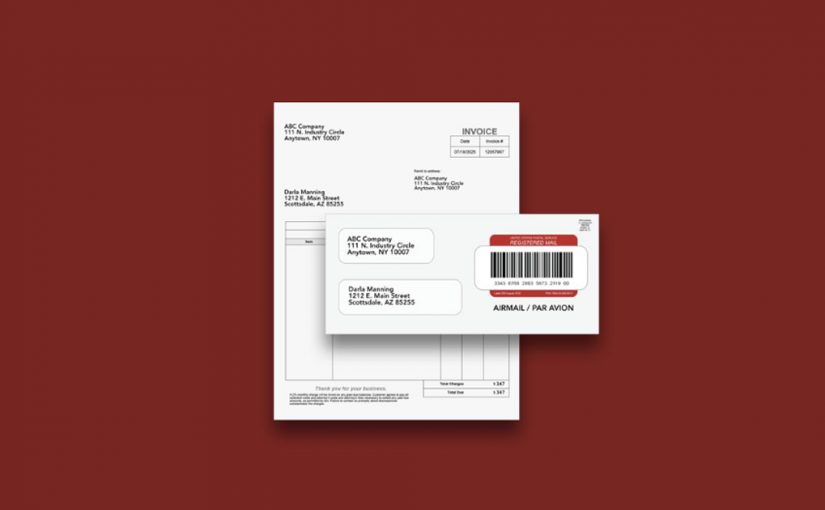
LetterStream makes mailing simple. Users upload a PDF, choose First-Class Mail, Certified Mail, FedEx 2Day, postcards, or Registered Mail (International Certified Mail), and the system handles everything from printing, inserting, applying postage, and getting the mail out the door.

Every piece of mail follows a controlled, accuracy-focused workflow to ensure it moves quickly and reliably from upload to going out the door. Plus, our pricing is transparent, straightforward, and designed for organizations of all sizes. See the breakdown here.

Why Print-to-Mail Services Create Faster, More Reliable Mailing Workflows

Print-to-mail services replace manual printing and mailing with a streamlined digital process that improves accuracy and reduces administrative workload. Whether you’re sending one letter or thousands, the workflow remains consistent, secure, and easy to use. When communication needs to be dependable, print-to-mail services give organizations the tools to send mail quickly, accurately, and with less effort.

To learn more about LetterStream or to sign up for a free account, click here.

LetterStream offers bulk printing and mailing services allowing companies to send physical mail online. Whether it’s online Certified Mail, First-Class Mail, FedEx 2Day, or postcards, we give both small businesses and large corporations the time and freedom back to work on tasks that better serve the company. If you’re interested in creating a free account, you can do so here.

LetterStream small logo