
Hybrid Mail Explained: How Digital Files Become Real USPS Mail 

Hybrid mail has become an easy way for businesses to send physical letters without printers, supplies, or Post Office trips. Instead of handling envelopes and stamps yourself, you upload a digital file, and a print-to-mail service takes care of the rest. This guide explains how hybrid mail works, why it matters, and how it helps teams send mail quickly, accurately, and reliably. 

What Hybrid Mail Actually Means 

Hybrid mail is the combination of two worlds: digital submission and physical mailing. You start with a digital file—usually a PDF—and the service prints, sorts, and sends it as real USPS mail. The process eliminates manual steps like printing, folding, or stuffing envelopes, which saves time and reduces errors. 

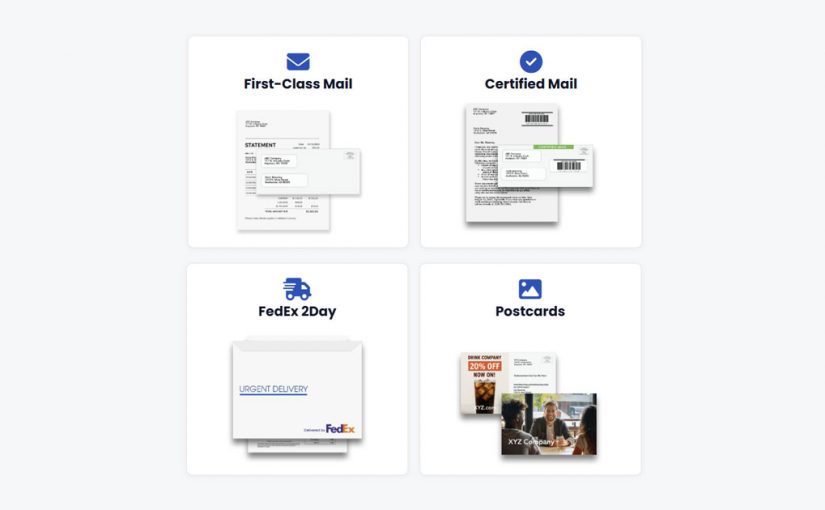
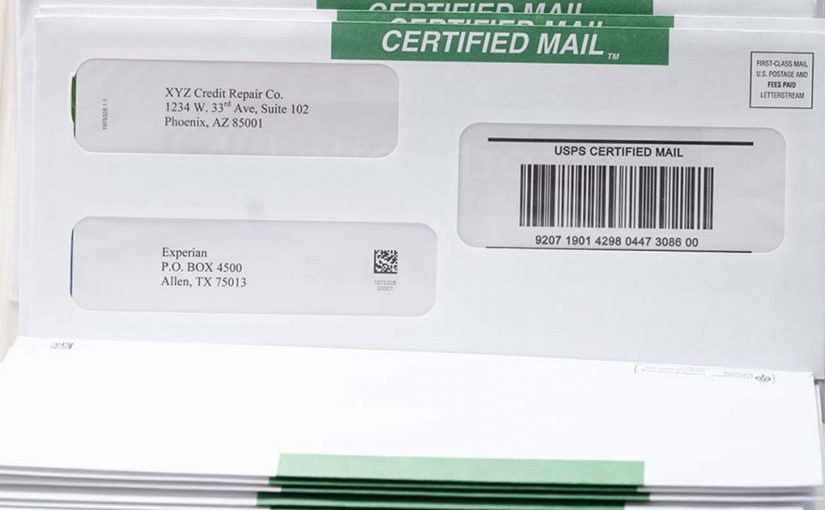
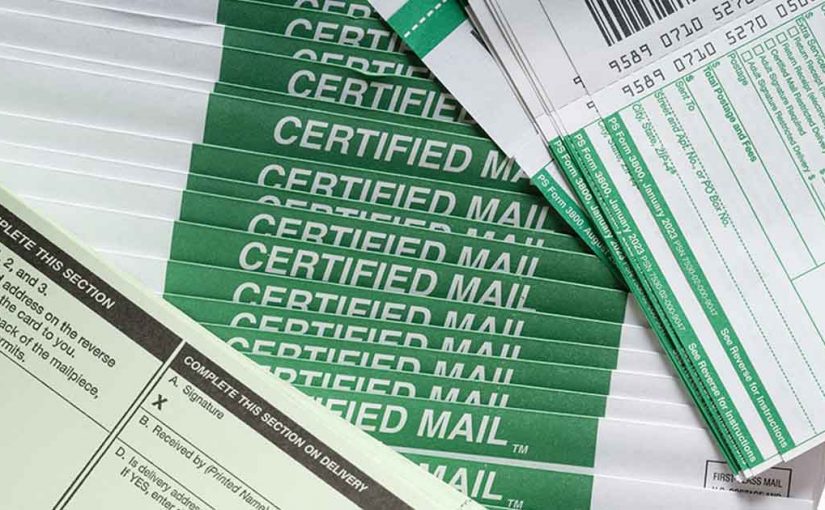
Hybrid mail also supports different mailing needs, including First-Class MailCertified MailFedEx 2Daypostcards, and more. Everything begins online, but the final result is a physical letter sent to an actual mailbox. 

How Hybrid Mail Works Behind the Scenes 

Although the process feels simple to the user, several steps happen behind the scenes to make hybrid mail fast and reliable. LetterStream’s StreamLogic workflow, also known as The Stream, helps keep each step controlled and predictable, ensuring your mail moves smoothly from digital file to printed letter. 

1. You Upload Your Document 

You begin by uploading your PDF or letter. The system checks formatting, confirms address placement, and ensures your pages fit the chosen envelope. 

2. Automated Processing Prepares the Mail 

Once your file is accepted, automated tools verify page counts, address accuracy, and the correct mail class. This prevents issues that would normally slow down traditional in-house mailing. 

3. Printing and Assembly Begin 

High-speed equipment prints your documents, folds them, inserts them into envelopes, and applies postage. Because the process is automated, it’s consistent and fast. 

4. Your Mail Moves Into USPS Channels 

After preparation, your mail enters USPS or FedEx 2Day channels. At this stage, your letter is treated like any other piece of physical mail. 

Why Organizations Use Hybrid Mail 

Many organizations rely on hybrid mail because it removes the friction of traditional office mailing. It helps reduce administrative work, avoid equipment maintenance, and eliminate supply purchases. 

Hybrid mail is also ideal for: 

  • Teams sending recurring notices 
  • Businesses working remotely 
  • Organizations with compliance or tracking needs 
  • Offices looking to avoid printing and handling sensitive documents 

Hybrid mail also ensures accuracy, especially when sending Certified Mail or time-sensitive communications.  

Hybrid Mail in Action 

Imagine you need to send tenant notices, billing statements, or legal documents. Instead of printing everything manually, you upload your files, choose your settings, and click send. The system takes over from there. 

Your document is printed, sorted, inserted, and sent quickly and accurately—all without touching a printer. This process is especially useful for teams that want consistent mailing results without dedicating staff time to routine mail tasks. 

How LetterStream Supports Hybrid Mail 

LetterStream offers the easiest, fastest way to send mail. Our secure and efficient print-and-mail platform makes hybrid mail possible.

Whether you’re sending invoices and statements through First-Class Mail or legal and compliance notices through Certified Mail, The Stream supports each step so your mail gets out the door quickly, accurately, and reliably. 

Hybrid Mail Simplifies the Mailing Process 

Hybrid mail simplifies the entire mailing process by transforming digital files into real USPS mail. It reduces manual work, improves accuracy, and helps organizations communicate more efficiently. Whether you send a few letters or thousands, hybrid mail creates a faster, more reliable workflow. 

To learn more about LetterStream or to sign up for a free account, click here. 

LetterStream offers bulk printing and mailing services allowing companies to send physical mail online. Whether it’s online Certified Mail, First-Class Mail, FedEx 2Day, or postcards, we give both small businesses and large corporations the time and freedom back to work on tasks that better serve the company. If you’re interested in creating a free account, you can do so here. 

LetterStream small logo

How to Send a Physical Letter from Your Computer: Step-by-Step Tutorial

Sending a physical letter no longer requires printers, envelopes, or a rushed trip to the Post Office. Today, you can upload a document from your computer and send real mail online quickly, accurately, and reliably. This guide walks you through the process step by step so you can mail important documents without leaving your desk.

Why Sending a Letter Online Is So Simple Now

In the past, mailing a letter meant printing, folding, stuffing, applying stamps, and hoping everything worked correctly. Then it meant driving to the Post Office and waiting in line for what can seem like forever. Modern print-to-mail tools replace all that effort with a cleaner digital workflow. You upload your file, choose your mailing options, and the system prints and sends your mail for you.

This process is powered by controlled workflows—like The Stream—which keeps each piece of mail moving quickly, accurately, and reliably, and it’s what allows 94% of mail at LetterStream to go out the next day.

Here’s a breakdown of how The Stream at LetterStream works:

Step 1: Prepare Your Document

Start by saving your letter as a PDF. PDFs work best because they preserve formatting and ensure your mailed letter looks exactly as intended. If you’re sending statements, notices, or legal documents, double-check that your formatting is clean and readable.

A quick review now prevents address issues, formatting problems, or missing pages later.

Step 2: Upload Your File to a Print-to-Mail Platform

Next, log in to a platform like LetterStream and upload your PDF. You’ll see prompts to confirm the address, choose your mail class, and decide whether you need tracking. Because everything is handled online, you avoid equipment hassles, supply runs, and last-minute printer issues.

Step 3: Choose How You Want the Letter Sent

From here, you choose the type of mail that fits your needs. You can send:

Each option helps you send mail online without touching physical envelopes or supplies.

Step 4: Review and Approve Your Letter

Before sending, you’ll see a preview of your document. This step lets you confirm:

  • The correct address appears in the windowed envelope
  • All pages are included
  • Your formatting looks right
  • You selected the correct mail class

Once everything looks good, click send. The Stream takes over from there—printing, preparing, and routing your mail through the appropriate mailing channel.

Step 5: Track and Manage Your Mail Online

After sending your letter, you can log in anytime to track its progress. This helps you confirm when your mail is processed and when it’s been mailed. For Certified Mail and FedEx 2Day, tracking provides added assurance that your document was sent and handled correctly. You can also opt for a Certified Mail Electronic Return Receipt, which requires a signature when the letter arrives at its destination. This can all be tracked and seen in your dashboard.

Why More Businesses Mail This Way

Sending mail online supports efficiency, especially for organizations that send recurring or time-sensitive communications. Teams avoid equipment issues, reduce administrative labor, and send mail quickly, accurately, and reliably. Whether you’re mailing invoices, notices, statements, or legal documents, the entire workflow becomes easier.

Fast, Accurate, Reliable Mail

Mailing a physical letter no longer requires manual effort. With modern print-to-mail tools, you can upload a document, choose your options, and let the system print and send your letter with speed, accuracy, and reliability. Whether you’re mailing a single notice or managing high-volume communication, sending mail online keeps your workflow simple and efficient.

To learn more about LetterStream or to sign up for a free account, click here.

LetterStream offers bulk printing and mailing services allowing companies to send physical mail online. Whether it’s online Certified Mail, First-Class Mail, FedEx 2Day, or postcards, we give both small businesses and large corporations the time and freedom back to work on tasks that better serve the company. If you’re interested in creating a free account, you can do so here.

LetterStream small logo

What Is a Print-to-Mail Service? A Plain-English Guide for Non-Techies

Sending physical mail usually requires printers, toner, envelopes, and time—unless you use a print-to-mail service. These services let you upload a PDF and have a real letter printed, assembled, and mailed on your behalf. This guide explains how the process works in simple terms and why more organizations are choosing to send mail online.

What a Print-to-Mail Service Actually Does

A print-to-mail service turns your digital document into real physical mail. You upload a file, enter the address, choose your mail type, and the service prints, folds, inserts, seals, stamps, and hands it to USPS or FedEx. At least that’s how it works at LetterStream. This removes the need for office printers, supplies, or manual mailing tasks.

Teams that want predictable, consistent workflows rely on print-to-mail platforms because they reduce errors and eliminate repetitive steps. The process follows controlled, automated systems that keep mail moving quickly and accurately from upload to mailbox.

How Print-to-Mail Services Work Behind the Scenes at LetterStream

Even though the user experience is simple with these platforms, several important steps occur behind the scenes. Understanding these steps helps explain why the workflow is so reliable.

You Upload a PDF or Document

You choose a PDF, enter recipient details, and select the mail class you want to send.

The System Checks the File and Address

Address formatting, alignment, and page count are verified before printing. This step prevents common issues that lead to undeliverable mail. These checks reduce returned mail, which is one of the biggest challenges in traditional workflows.

Documents Are Printed and Inserted

Automated equipment prints the letter, folds the pages, inserts them into envelopes, and prepares them for mailing. Controlled workflows keep the process accurate and efficient.

Your Mail Enters USPS or FedEx Channels

The final step is handoff to the postal carrier, which could be the United States Postal Service (USPS) or FedEx. From there, you can track your letter, as long as you choose either Certified Mail or FedEx 2Day.

Why Organizations Use Print-to-Mail Services

Businesses and nonprofits rely on print-to-mail services because they simplify communication and reduce internal workload. Most organizations see immediate benefits in accuracy, time savings, and workflow consistency.

Reduced Administrative Work

Mailing tasks consume time—loading printers, fixing jams, stuffing envelopes, and managing postage. Outsourcing eliminates these steps and frees teams for higher-value work.

Fewer Errors and More Reliable Output

Automated workflows catch alignment issues, formatting errors, and address problems early. Accuracy matters most for sensitive mail like Certified Mail.

Support for Many Mail Types

Most platforms allow you to send First-Class Mail, Certified Mail, postcards, and premium mailing options—all in one place. At least this is true at LetterStream. This keeps everything consistent, even as needs change.

Imagine preparing an important notice. Instead of printing pages at your desk, you upload a PDF, choose the mail class, and send it. The system does the rest. This fast and predictable workflow is why legal teams, HOAs, healthcare offices, and financial professionals rely on print-to-mail solutions for critical communication.

When a Print-to-Mail Service Makes Sense

Print-to-mail services are useful for organizations that want to reduce manual work, improve accuracy, and streamline recurring communication. They are especially helpful for teams that:

  • Send repetitive notices or statements
  • Need reliable tracking or documentation
  • Manage compliance-driven communication
  • Want remote or hybrid staff to send mail easily
  • Prefer digital-first workflows

HOAs, property managers, healthcare practices, legal offices, and financial services teams often adopt these platforms early because accuracy and compliance matter in their daily operations.

How LetterStream Helps You Send Mail Online

LetterStream makes mailing simple. Users upload a PDF, choose First-Class Mail, Certified Mail, FedEx 2Day, postcards, or Registered Mail (International Certified Mail), and the system handles everything from printing, inserting, applying postage, and getting the mail out the door.

Every piece of mail follows a controlled, accuracy-focused workflow to ensure it moves quickly and reliably from upload to going out the door. Plus, our pricing is transparent, straightforward, and designed for organizations of all sizes. See the breakdown here.

Why Print-to-Mail Services Create Faster, More Reliable Mailing Workflows

Print-to-mail services replace manual printing and mailing with a streamlined digital process that improves accuracy and reduces administrative workload. Whether you’re sending one letter or thousands, the workflow remains consistent, secure, and easy to use. When communication needs to be dependable, print-to-mail services give organizations the tools to send mail quickly, accurately, and with less effort.

To learn more about LetterStream or to sign up for a free account, click here.

LetterStream offers bulk printing and mailing services allowing companies to send physical mail online. Whether it’s online Certified Mail, First-Class Mail, FedEx 2Day, or postcards, we give both small businesses and large corporations the time and freedom back to work on tasks that better serve the company. If you’re interested in creating a free account, you can do so here.
LetterStream small logo

How to Start the Year With Fewer Mailing Errors

Mailing problems rarely announce themselves ahead of time.

What often feels manageable at the end of the year—manual checks, outdated address lists, informal approvals—can quickly become disruptive once January workloads hit. Volume increases, expectations reset, and suddenly small issues begin surfacing daily.

The start of the year is when mailing weaknesses stop hiding. It’s also the best time to address them before they turn into routine fire drills.

Reducing mailing errors isn’t about tightening the screws on your team. It’s about fixing the conditions that make mistakes more likely in the first place.

Why Mailing Errors Spike Early in the Year

January tends to compress multiple changes into a short window. Staff transitions, new compliance timelines, updated systems, and increased mail volume often overlap.

When workflows aren’t clearly defined, teams compensate with memory and workarounds. Someone remembers how it was done last year. Someone else makes a quick judgment call to keep things moving.

That flexibility feels helpful—until volume and urgency remove the margin for error. At that point, mistakes become harder to catch and even harder to correct.

The Hidden Cost of Constant Fire Drills

Mailing fire drills don’t just waste time. They disrupt focus.

Last-minute fixes pull people away from priority work. Corrections are rushed. Accuracy suffers under pressure. And when these situations happen repeatedly, they begin to feel normal—even expected.

Over time, this reactive cycle weakens confidence in the process. Teams stop trusting that mail went out correctly. Leadership loses visibility. Operational risk quietly increases.

Fire drills aren’t a sign of bad intent. They’re a sign that the process itself isn’t built to handle real-world conditions.

Why Address Lists Are Often a Real Problem

One of the most common—and overlooked—sources of mailing errors is address data.

Outdated records, duplicate entries, formatting inconsistencies, and missing unit numbers all lead to returned mail, delivery delays, and rework. These issues don’t always show up immediately, but they compound quickly once volume increases.

January is an ideal time to clean up address lists if you didn’t get around to it in December, because teams are already reviewing systems, budgets, and workflows.

Address-list cleanup helps reduce:

  • Returned and undeliverable mail
  • Delays caused by re-sending documents
  • Confusion over whether mail actually reached the recipient

Clean data supports everything else you’re trying to improve. Even the most reliable mailing process struggles when the underlying address information isn’t accurate. LetterStream offers both CASS (Address List Cleanup) and NCOA (Deluxe Address List Cleanup) services to help verify, correct, and standardize your mailing addresses using official USPS data. Learn more about these services here.

How Process Consistency Reduces Risk

Consistency removes guesswork.

When every mailing follows the same preparation, approval, and sending steps, accuracy improves naturally. Teams don’t have to remember exceptions or improvise under pressure. The process does the work for them.

This consistency also makes it easier to onboard new team members and handle higher volumes without disruption. Everyone knows what “done” looks like.

Many organizations reduce errors by centralizing critical mail online—especially communications that require tracking and proof, such as Certified Mail. When tracking and documentation are built into the workflow, fewer details are left to chance.

Why January Is the Right Time to Reset

Addressing mailing issues early prevents months of repeated frustration.

A proactive reset creates predictability. Teams spend less time fixing mistakes and more time executing confidently. Mail stops interrupting the day and starts supporting it.

January is also when many organizations review mailing volume and costs to ensure their process still aligns with operational and budget goals. Making adjustments now is far easier than doing so mid-year.

Building a More Stable Mailing Process for the Year Ahead

Reducing mailing errors early leads to calmer teams and better outcomes. Stability doesn’t happen accidentally—it’s built through clear workflows, accurate data, and dependable systems.

When mailing runs smoothly, teams stop reacting and start moving forward.

That’s what fewer errors and fewer fire drills really deliver.

To learn more about LetterStream, click here:

LetterStream offers bulk printing and mailing services allowing companies to send physical mail online. Whether it’s online Certified Mail, First-Class Mail, FedEx 2Day, or postcards, we give both small businesses and large corporations the time and freedom back to work on tasks that better serve the company. If you’re interested in creating a free account, you can do so here.

LetterStream small logo

How to Start Q1 Strong: Why Reliable Mail Still Matters in a Digital-First World

January is when businesses like to say they’re “digital-first.”

New systems are rolling out. Dashboards are refreshed. Automation is top of mind. Everything feels faster, cleaner, and more modern — at least on screen.

And yet, in the middle of all that digital momentum, physical mail still shows up quietly, carrying some of the most important responsibilities of the quarter.

Invoices. Legal notices. Compliance documents. Required communications that can’t be skipped, delayed, or handled casually.

Starting Q1 strong isn’t just about adopting new technology. It’s about making sure the foundational processes — especially business mail — are reliable enough to support everything else you’re building.

Digital-First Doesn’t Mean Physical Mail Is Optional

There’s a common assumption that as businesses modernize, physical mail becomes less important. In reality, the opposite is often true.

As organizations rely more heavily on digital systems, the physical communications that remain tend to be the most critical. These are the documents that require proof, permanence, and accountability. They’re the ones regulators care about. The ones customers trust. The ones that still carry legal weight.

In Q1 especially, when billing cycles restart and compliance calendars reset, physical mail plays a central role. Digital tools may initiate the process, but physical delivery often completes it.

A digital-first mindset works best when it includes a dependable digital-to-physical workflow — not when it ignores physical mail entirely.

Reliability Is What Keeps Q1 From Getting Messy

The end of the year and first quarter have a way of magnifying small problems.

Mail volume increases. Deadlines stack up. Teams are balancing new initiatives while still handling daily operations. When mail is unreliable, issues surface fast — missed notices, late invoices, incomplete records.

Reliable mail prevents those early disruptions.

Reliability means documents go out when they’re supposed to. It means records exist when questions come up. It means teams don’t have to pause and investigate whether something was sent or not.

When mail runs consistently in the background, Q1 stays focused on progress instead of cleanup.

Why Trust Still Lives on Paper

For all the convenience digital communication offers, physical mail still carries a unique level of trust.

Recipients tend to take physical mail more seriously. It feels official. It feels intentional, and in many industries, it’s still the expected method for important communications.

That trust matters in Q1, when businesses are setting expectations for the year. Invoices that are sent cleanly and on time reinforce professionalism. Notices that are sent properly reduce confusion and disputes. Compliance mail that’s handled correctly protects the organization before issues arise.

Trust isn’t built through speed alone. It’s built through consistency and proof — two things reliable business mail does exceptionally well.

Certified Mail Is a Q1 Safeguard

One area where reliability matters most is Certified Mail.

Early in the year, many organizations send documents that require confirmation, tracking, and proof of delivery. Handling these pieces manually introduces unnecessary risk. Trips to the Post Office, separate tracking systems, and scattered records all increase the chance of something being missed.

Using Certified Mail online brings that process into a controlled, repeatable workflow. Tracking and documentation are automatic. Records are stored digitally. Teams don’t have to chase proof after the fact. At least that’s what you get when you use LetterStream.

In Q1, when audits and disputes are more likely to surface, that reliability acts as a safeguard rather than a scramble.

Reliability Reduces the Hidden Cost of Mail

Mail rarely looks like a problem on a budget line. The cost shows up elsewhere — in time, interruptions, and distractions.

When mail isn’t reliable, teams spend time double-checking sends, responding to questions, fixing mistakes, and recreating records. Those interruptions pull attention away from strategic work at the exact moment teams are trying to build momentum for the year.

A dependable print and mail service removes that friction. Mail becomes predictable. Questions decrease. Time spent managing issues drops significantly.

Starting Q1 with fewer distractions makes every other initiative easier to execute.

Modern Mail Fits Inside Modern Systems

Reliable mail today isn’t about going backward. It’s about integrating physical mail processes into modern workflows.

When teams send mail online, physical mail becomes an extension of their digital systems. Files move directly from software to production. Status updates are visible. Records live in one place.

This kind of integration allows businesses to stay digital-first without sacrificing the reliability that physical mail provides. It’s not a tradeoff — it’s a balance.

And that balance is especially valuable early in the year, when processes are being tested under real volume again.

A Strong Q1 Starts With What You Don’t Have to Worry About

The most successful first quarters aren’t defined by dramatic changes. They’re defined by stability.

When mail is reliable, teams don’t talk about it. They don’t chase it. They don’t fix it. It simply works — supporting communication, compliance, and customer trust without demanding attention.

That’s what allows businesses to focus on growth, planning, and execution instead of operational friction.

Starting Q1 strong means building on systems you can count on. Reliable business mail is one of them.

To learn more about LetterStream, click here.

LetterStream offers bulk printing and mailing services allowing companies to send physical mail online. Whether it’s online Certified Mail, First-Class Mail, FedEx 2Day, or postcards, we give both small businesses and large corporations that time and freedom back to work on tasks that better serve the company. If you’re interested in creating a free account, you can do so, here.

LetterStream small logo

New Year, New Mailing Strategy: Why “This Is How We’ve Always Done It” No Longer Works

January has a way of exposing habits. As teams return to full speed, mail volume picks back up, deadlines reappear, and familiar workflows snap back into place. What felt manageable last year can suddenly feel inefficient, risky, or unnecessarily manual.

For many organizations, business mail hasn’t been approached strategically — it’s been handled out of habit. Processes were built years ago, adjusted on the fly, and rarely revisited unless something broke.

The new year is the right moment to rethink that approach.

A new mailing strategy isn’t about adding more tools or complexity. It’s about deciding, intentionally, how mail should support the business — with consistency, visibility, and less friction for everyone involved.

Routines Aren’t the Same as Strategy

Most companies don’t think of mail as something that needs a strategy. It simply exists as part of the workflow.

Mail gets printed when it’s ready. Someone “owns” it informally. Tracking lives in a spreadsheet or an inbox thread. And as long as nothing goes wrong, the process stays in place.

Over time, those routines create blind spots. Mail becomes inconsistent. Visibility disappears. Accountability gets fuzzy. And when volume increases or compliance enters the picture, small inefficiencies turn into real problems.

A mailing strategy starts by acknowledging that mail touches multiple departments and carries real business risk. It deserves the same level of planning as any other operational process.

Visibility Is the Foundation of a Strong Mailing Strategy

If there’s one place every modern mailing strategy should start, it’s visibility.

Teams need a clear answer to simple questions: what was sent, when it was sent, how it was sent, and who approved it. When that information lives across shared drives, emails, and spreadsheets, confidence erodes quickly.

Sending mail online through a centralized system changes that dynamic. Mail activity becomes searchable and consistent. Records don’t depend on someone remembering to log them. And leadership gains clarity without chasing updates.

Visibility isn’t about oversight — it’s about trust. When teams can see what’s happening with mail, they stop second-guessing the process.

Consistency Outperforms Speed

Speed often gets credit as the primary goal, but consistency is what keeps mail from becoming a liability.

A reliable mailing strategy ensures documents are formatted correctly every time, addresses and data remain accurate, and mail follows predictable workflows. This matters most for business-critical communications like invoices, notices, legal documents, and compliance mail.

Mistakes in these areas cost far more than a delayed send. One error can trigger rework, disputes, or regulatory risk.

Using a dependable print and mail service removes unnecessary variation. Mail follows the same path every time, reducing errors and eliminating the need for constant checks and fixes.

Certified Mail Shouldn’t Be an Exception

Certified Mail is often where weak strategies show themselves.

Instead of being part of a unified workflow, it’s treated as a special case — printed separately, taken to the Post Office, tracked manually, and filed inconsistently. Each step introduces more room for error.

Certified Mail online eliminates that fragmentation, especially when using LetterStream. Tracking, proof, and records live in the same system as the rest of your mail. Status updates are available without extra follow-ups. Documentation is there when it’s needed, not when someone remembers to look for it.

A strong mailing strategy doesn’t rely on exceptions. It creates processes that work consistently across all mail types.

The Hidden Cost of Manual Mail Is Time

Mail rarely looks expensive on the surface. The real cost shows up in the hours it quietly consumes.

Manual workflows pull time away from operations, finance, legal teams, and office staff — often in small increments that add up quickly. Printing, sorting, stuffing, correcting errors, and answering status questions all steal focus from higher-value work.

Business mail automation changes that equation. By removing repetitive tasks from daily workflows, teams regain time and momentum — especially in the first quarter, when priorities are being set for the year ahead.

January is the best moment to reclaim that time before inefficient habits settle back in.

Mail Should Scale Without Creating Complexity

As organizations grow, mail volume grows with them. Without a clear strategy, that growth leads to more people involved, more handoffs, and more opportunities for mistakes.

A centralized mailing strategy allows mail to scale smoothly. Volume increases don’t require more oversight or more manual work — just better systems that handle growth without disruption.

When mail is designed to scale, it stops feeling like a bottleneck and starts functioning like infrastructure.

The Best Time to Change Is Before Something Breaks

Most companies revisit their mail process only after a problem surfaces — a missed notice, a compliance issue, or a customer complaint.

January offers a better opportunity.

Starting the year with a thoughtful mailing strategy reduces surprises later. It brings clarity, consistency, and confidence to a process that often runs in the background but carries real importance.

You don’t need to overhaul everything at once. You just need to be intentional.

That’s how mail stops being a reactive task and becomes a reliable part of how your business operates.

To learn more about LetterStream, click here.

LetterStream offers bulk printing and mailing services allowing companies to send physical mail online. Whether it’s online Certified Mail, First-Class Mail, FedEx 2Day, or postcards, we give both small businesses and large corporations that time and freedom back to work on tasks that better serve the company. If you’re interested in creating a free account, you can do so, here.

LetterStream small logo

Happy New Year! The Business Mail Resolutions Worth Keeping This Year

The calendar has flipped, inboxes are filling back up, and teams everywhere are stepping into the new year with fresh goals and a little extra optimism. January always carries that “clean slate” energy — new plans, new budgets, new chances to do things better than last year.

But while personal resolutions tend to fade by February, your business mail doesn’t have the luxury of falling off track. Notices still need to go out. Invoices still need to land on time. Compliance deadlines don’t care that it’s a new year.

So instead of promising big changes that won’t stick, let’s talk about business mail resolutions worth keeping — the kind that quietly make the rest of the year smoother.

If your goal is to send mail online with less stress, fewer mistakes, and more confidence, these resolutions are a great place to start.

Resolution #1: Stop Being a Last-Minute Panic

Every year starts the same way. Volume ramps up fast. Teams are back online. Deadlines arrive earlier than expected. And suddenly, mail becomes a scramble again.

Stacks of paper. Rushed approvals. Someone asking, “Did this already go out?” at 4:58 PM.

This year, business mail can resolve to be calmer.

When you send mail online through a centralized system, timing stops being a guessing game. Jobs move through a clear workflow. Deadlines are visible. Mail gets out when it should — not when someone finally has time to print and stuff envelopes.

A smoother January sets the tone for the entire year. Less panic now means fewer fire drills later.

Resolution #2: Be Easier to Trust

Trust matters more than speed when it comes to business-critical mail.

In the new year, mail should resolve to:

  • Provide proof when it matters
  • Show a clear audit trail
  • Remove doubt from compliance-related sending

That’s why so many teams are moving Certified Mail online instead of relying on manual processes or Post Office runs. Tracking, confirmation, and documentation shouldn’t live in someone’s inbox or a spreadsheet.

When mail is easy to trust, teams stop double-checking everything. Confidence replaces uncertainty — and that’s a resolution worth keeping.

Resolution #3: Stop Eating Up Everyone’s Time

No one starts the year hoping to spend hours printing, sorting, stuffing, or fixing small mailing errors.

And yet, manual mail workflows quietly steal time from:

  • Operations teams
  • Finance departments
  • Legal staff
  • Office managers

This year, business mail can resolve to stay in its lane.

A modern print and mail service handles the repetitive work automatically — formatting, printing, inserting, and sending — so your team can focus on higher-value tasks. January is the perfect time to remove busywork before it becomes routine again.

The less time mail takes, the more momentum teams keep as the year unfolds.

Resolution #4: Work Better With Digital Tools

Being “digital-first” doesn’t mean physical mail disappears. It means mail works with your digital systems instead of against them.

The best workflows today are digital-to-physical:

  • Files are uploaded online
  • Data flows cleanly from existing systems
  • Physical mail is triggered automatically

Instead of jumping between tools, teams manage everything in one place. This resolution isn’t about abandoning mail — it’s about modernizing how it fits into daily operations.

When business mail integrates smoothly, it stops feeling like a separate chore and starts feeling like part of a smart process.

Resolution #5: Stay Boring (In the Best Way)

Here’s the truth no one puts on a vision board: successful business mail is boring.

It shows up.
It follows the rules.
It doesn’t create surprises.

And that’s exactly what you want.

In the new year, mail doesn’t need to impress anyone. It just needs to be reliable. When notices go out correctly, invoices arrive on time, and compliance mail is handled consistently, teams barely notice — and that’s a win.

Boring mail means fewer escalations, fewer mistakes, and fewer headaches. It’s the kind of resolution that quietly pays off all year long.

If Your Mail Could Talk…

Just for fun, here’s what business mail might promise this year if it could actually talk:

  • “I won’t wait until the last minute anymore.”
  • “I’ll stop living in spreadsheets.”
  • “I’ll show proof when you need it.”
  • “I’ll take less time and cause fewer problems.”

Not bad goals, honestly.

A Fresh Start That Actually Sticks

The start of the year doesn’t require a massive overhaul. Often, it’s the small operational improvements made early that carry teams through the busiest months ahead.

If your goal this year is to send mail online with fewer mistakes, clearer tracking, and less stress, now is the perfect time to set those resolutions in motion.

Here’s to a calmer January, smoother workflows, and business mail that actually keeps its promises.

To learn more about LetterStream, click here.

LetterStream offers bulk printing and mailing services allowing companies to send physical mail online. Whether it’s online Certified Mail, First-Class Mail, FedEx 2Day, or postcards, we give both small businesses and large corporations the time and freedom back to work on tasks that better serve the company. If you’re interested in creating a free account you can do so, here.

LetterStream small logo

What Business Mail Taught Us in 2025 and How to Fix It for 2026

If 2025 made anything clear, it’s this: business mail doesn’t fail loudly. It fails quietly.

Not with alarms or system crashes—but with missed deadlines, delayed notices, unanswered disputes, and that uneasy feeling of “Did that actually go out?”

For many teams, 2025 was the year business mail finally revealed its weak spots. Shorter staffing cycles, more remote work, tighter compliance expectations, and less tolerance for errors exposed processes that had worked “well enough” for years—until they didn’t.

As teams prepare to turn the calendar to January 1, now is the moment to take stock of what business mail taught us in 2025, and what needs fixing before the year officially resets.

Lesson #1: Manual Mail Breaks Under Pressure

One of the biggest lessons of 2025 is that manual mail processes don’t scale when pressure hits.

Throughout the year, teams faced:

  • Unexpected staff absences
  • Heavier compliance mail volumes
  • Shortened workweeks and remote approvals
  • Increased expectations for proof and tracking

In those moments, relying on someone to print documents, stuff envelopes, walk them to outgoing mail, and remember which notices went where proved to be weak.

The teams that stayed steady were the ones that could send mail online, centralize documents digitally, and trigger physical delivery without depending on in-office routines.

Manual processes don’t fail every day—but 2025 showed they fail exactly when reliability matters most.

Lesson #2: Visibility Is No Longer Optional

In 2025, “we mailed it” stopped being an acceptable answer.

Whether dealing with compliance notices, legal correspondence, healthcare communications, or HOA documents, teams increasingly needed to know:

  • When mail was sent
  • How it was delivered
  • Whether it was received
  • What proof exists if questions arise

Lack of visibility created downstream chaos—especially when mail was time-sensitive.

Tracking, confirmation, and centralized records became essential, not nice-to-have features. This is why more organizations leaned into Certified Mail online options that provided built-in documentation without adding complexity to internal workflows.

Mail that can’t be tracked becomes mail that can’t be defended.

Lesson #3: December Exposed Every Workflow Gap

December has a way of stress-testing everything.

In 2025, shortened weeks, holiday closures, and rotating staff made it painfully obvious which mail processes depended on specific people being present. Approval bottlenecks, outdated address lists, and disconnected systems all surfaced at once.

Teams that relied on shared inboxes, physical checklists, or “someone usually handles that” struggled to keep things moving.

Teams that adopted digital-to-physical mail workflows—where documents could be uploaded, approved, sent, and tracked from anywhere—maintained continuity even when offices were quiet.

December didn’t create the problems. It revealed them.

Lesson #4: Compliance Mail Requires Precision, Not Memory

Another major takeaway from 2025 is that compliance mail can’t rely on institutional knowledge alone.

Too many processes still depended on someone remembering:

  • Which notices require proof of mailing
  • Which recipients need Certified proof
  • Which timelines apply to which document types

As regulations tightened and scrutiny increased, this approach proved risky.

Successful teams embedded compliance directly into their workflows—using standardized templates, automated triggers, and documented delivery methods. By relying on a structured print and mail service, they reduced the chance of human error while improving consistency across every send.

Compliance doesn’t leave room for guesswork.

Lesson #5: Business Mail Is a System, Not a Task

Perhaps the most important lesson of 2025 is that business mail isn’t a one-off task—it’s a system.

When mail lives across email threads, desktops, printers, and filing cabinets, it becomes nearly impossible to manage holistically. But when it’s centralized—digitally uploaded, automatically processed, and physically delivered with visibility—it becomes predictable.

Predictability is what teams craved most in 2025.

Organizations that treated mail as a system were better prepared for staffing changes, remote work, regulatory demands, and year-end pressure. Those that didn’t were constantly reacting.

What Teams Should Fix Before January 1

Before the new year officially begins, teams should take a clear-eyed look at their mail operations and ask:

  • Can we send and track mail without relying on one person?
  • Do we have proof available for every critical notice?
  • Can mail be sent remotely if offices are closed?
  • Are address lists current and validated?
  • Is compliance built into the process—or handled afterward?

Fixing these issues doesn’t require a full operational overhaul. It requires intentional changes that bring clarity, visibility, and structure to how mail moves through the organization.

2026 doesn’t need new resolutions. It needs fewer weak links.

Looking Ahead

Business mail may not be the loudest part of operations, but 2025 proved it’s one of the most revealing. When it works well, no one notices. When it doesn’t, everything downstream feels the impact.

As teams step into January, the opportunity is simple: leave behind the processes that caused stress, uncertainty, and last-minute scrambles—and carry forward the systems that made mail dependable.

LetterStream makes printing and mailing a breeze. To learn more, click here.

LetterStream offers bulk printing and mailing services allowing companies to send physical mail online. Whether it’s online Certified Mail, First-Class Mail, FedEx 2Day, or postcards, we give both small businesses and large corporations the time and freedom back to work on tasks that better serve the company. If you’re interested in creating a free account, you can do so, here.

Happy Holidays! The Twelve Days of Business Mail (LetterStream Edition)

The holidays are a time to reflect, reconnect, and appreciate the people who make our work meaningful. We’re grateful for our customers who trust us with their mail and for our team who keep everything moving—even during the busiest season of the year.


The holidays bring out the best in businesses—creativity, connection, and yes… a whole lot of mail. So, in the spirit of the season, here’s a playful look at what December really looks like inside The Stream.

On the first day of business mail, The Stream processed for a team:
One envelope labeled “Urgent Year-End Memo.”

On the second day of business mail, we watched across the floor:
Two postcard campaigns
and one envelope labeled “Urgent Year-End Memo.”

On the third day of business mail, the printers hummed with glee:
Three billing batches,
two postcard campaigns,
and one envelope labeled “Seriously—Urgent This Time.”

On the fourth day of business mail, operations said, “Let’s go!”
Four batches certified,
three billing batches,
two postcard campaigns,
and a memo now marked “Final Version (for real).”

On the fifth day of business mail, the workflow came alive:
FIVE YEAR-END UPDATES!
Four batches certified,
three billing batches,
two postcard campaigns,
and one well-traveled memo ready for the world.

On the sixth day of business mail, companies near and far:
Sent six renewal notices
(and yes, all before the deadline).

On the seventh day of business mail, we saw teams push through:
Seven statements sorting,
six renewals rolling,
and everything landing exactly where it needed to be.

On the eighth day of business mail, the StreamLogic took flight:
Eight workflows syncing,
seven statements sorting,
and holidays inching closer.

On the ninth day of business mail, we felt the year-end rush:
Nine reminders mailing,
eight workflows syncing…
and plenty of coffee disappearing.

On the tenth day of business mail, a marketer cheered out loud:
Ten festive mailers shipped,
each one brighter than the last.

On the eleventh day of business mail, a quiet hush appeared:
Eleven projects finished—
the kind businesses save for the home stretch.

And on the twelfth day of business mail, The Stream glowed warm and bright:
Twelve teams celebrating
another year of messages sent quickly, accurately, and reliably.

Because behind every one of those “days” is a business staying connected, closing the year strong, and sending mail that matters.

From our team to yours—

Merry Christmas, and may your season be filled with peace, joy, and perfectly sent out mail! From the LetterStream Team

LetterStream offers bulk printing and mailing services allowing companies to send physical mail online. Whether it’s online Certified Mail, First-Class Mail, FedEx 2Day, or postcards, we give both small businesses and large corporations the time and freedom back to work on tasks that better serve the company. If you’re interested in creating a free account, you can do so here.

LetterStream small logo

How Returned Mail Can Easily Improve Your Address Lists for 2026

By the end of December, most offices have a quiet pile of returned envelopes sitting in a corner—one of those tasks that never feels urgent, but always feels important. Instead of viewing returned mail as clutter, December is the perfect moment to turn it into useful data. With the right approach, those envelopes can help you correct your address lists, prevent repeat errors, and start the new year with cleaner, more reliable information.

Returned Mail Tells a Story—If You Read It

Every returned envelope includes a clue. Some pieces come back because the recipient moved; others list missing apartment numbers, outdated company names, or addresses that were never valid to begin with. The more you look at these patterns, the clearer your data issues become.

This information is especially valuable in December, when organizations reflect on their operations and prepare for a fresh start. Instead of tossing those envelopes aside, treating them like data points gives you a head start on improving next year’s mailing accuracy.

Categorize What’s Coming Back

Even without complicated systems, you can learn a lot by grouping returned pieces. For example, separating them by “moved,” “unknown,” “vacant,” or “insufficient address” helps reveal where your list needs attention. You may notice that certain regions produce more returns, or that an entire batch came from the same outdated database.

These quick insights guide more targeted cleanup, saving your team time in the long run. Once you understand the patterns, fixing them becomes far easier.

Turn December Cleanup Into a January Advantage

The end of the year naturally brings both volume and quiet moments. When mail slows down after the holiday rush, that’s the ideal time to update your records, track any repeat problem addresses, and reconcile lists across departments. This work pays off throughout the next year, reducing postage waste, avoiding delays, and keeping customer information accurate.

Clean data also boosts confidence—both for your internal teams and for the customers you communicate with regularly.

How LetterStream Helps You Reduce Returned Mail

Organizations that send mail through LetterStream and use one of our Address-List Cleanup tools often catch data issues earlier because the system highlights formatting problems, incomplete addresses, and inconsistencies before envelopes are ever prepared. When everything is created and sent online, teams can spot and correct errors long before they turn into returned pieces.

A Small Effort Now Leads to Better Mailing All Year

Treating returned mail as a data source rather than a nuisance transforms how your team approaches address management. A little organization now reduces repeat errors, improves customer communication, and keeps your mailings moving quickly, accurately, and reliably in the year ahead.

To learn more about LetterStream or to sign up for a free account, click here.

LetterStream offers bulk printing and mailing services allowing companies to send physical mail online. Whether it’s online Certified Mail, First-Class Mail, FedEx 2Day, or postcards, we give both small businesses and large corporations the time and freedom back to work on tasks that better serve the company. If you’re interested in creating a free account, you can do so here.

LetterStream small logo