What Business Mail Taught Us in 2025 and How to Fix It for 2026

If 2025 made anything clear, it’s this: business mail doesn’t fail loudly. It fails quietly.

Not with alarms or system crashes—but with missed deadlines, delayed notices, unanswered disputes, and that uneasy feeling of “Did that actually go out?”

For many teams, 2025 was the year business mail finally revealed its weak spots. Shorter staffing cycles, more remote work, tighter compliance expectations, and less tolerance for errors exposed processes that had worked “well enough” for years—until they didn’t.

As teams prepare to turn the calendar to January 1, now is the moment to take stock of what business mail taught us in 2025, and what needs fixing before the year officially resets.

Lesson #1: Manual Mail Breaks Under Pressure

One of the biggest lessons of 2025 is that manual mail processes don’t scale when pressure hits.

Throughout the year, teams faced:

  • Unexpected staff absences
  • Heavier compliance mail volumes
  • Shortened workweeks and remote approvals
  • Increased expectations for proof and tracking

In those moments, relying on someone to print documents, stuff envelopes, walk them to outgoing mail, and remember which notices went where proved to be weak.

The teams that stayed steady were the ones that could send mail online, centralize documents digitally, and trigger physical delivery without depending on in-office routines.

Manual processes don’t fail every day—but 2025 showed they fail exactly when reliability matters most.

Lesson #2: Visibility Is No Longer Optional

In 2025, “we mailed it” stopped being an acceptable answer.

Whether dealing with compliance notices, legal correspondence, healthcare communications, or HOA documents, teams increasingly needed to know:

  • When mail was sent
  • How it was delivered
  • Whether it was received
  • What proof exists if questions arise

Lack of visibility created downstream chaos—especially when mail was time-sensitive.

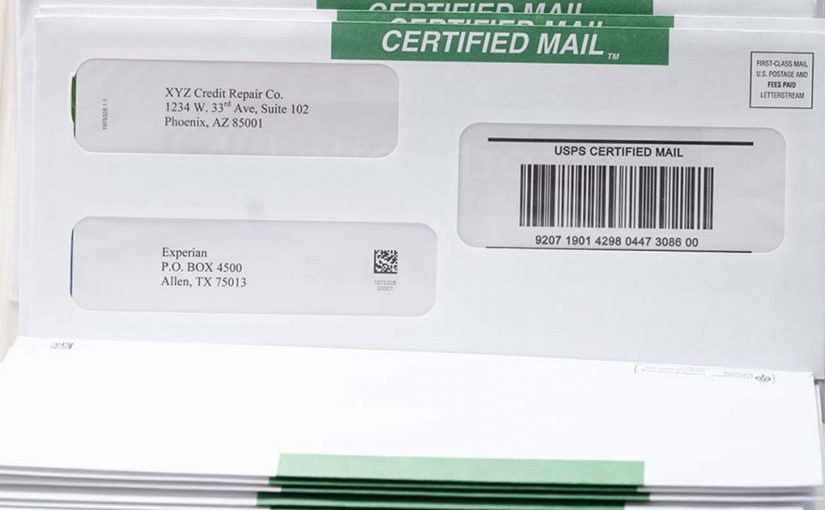
Tracking, confirmation, and centralized records became essential, not nice-to-have features. This is why more organizations leaned into Certified Mail online options that provided built-in documentation without adding complexity to internal workflows.

Mail that can’t be tracked becomes mail that can’t be defended.

Lesson #3: December Exposed Every Workflow Gap

December has a way of stress-testing everything.

In 2025, shortened weeks, holiday closures, and rotating staff made it painfully obvious which mail processes depended on specific people being present. Approval bottlenecks, outdated address lists, and disconnected systems all surfaced at once.

Teams that relied on shared inboxes, physical checklists, or “someone usually handles that” struggled to keep things moving.

Teams that adopted digital-to-physical mail workflows—where documents could be uploaded, approved, sent, and tracked from anywhere—maintained continuity even when offices were quiet.

December didn’t create the problems. It revealed them.

Lesson #4: Compliance Mail Requires Precision, Not Memory

Another major takeaway from 2025 is that compliance mail can’t rely on institutional knowledge alone.

Too many processes still depended on someone remembering:

  • Which notices require proof of mailing
  • Which recipients need Certified proof
  • Which timelines apply to which document types

As regulations tightened and scrutiny increased, this approach proved risky.

Successful teams embedded compliance directly into their workflows—using standardized templates, automated triggers, and documented delivery methods. By relying on a structured print and mail service, they reduced the chance of human error while improving consistency across every send.

Compliance doesn’t leave room for guesswork.

Lesson #5: Business Mail Is a System, Not a Task

Perhaps the most important lesson of 2025 is that business mail isn’t a one-off task—it’s a system.

When mail lives across email threads, desktops, printers, and filing cabinets, it becomes nearly impossible to manage holistically. But when it’s centralized—digitally uploaded, automatically processed, and physically delivered with visibility—it becomes predictable.

Predictability is what teams craved most in 2025.

Organizations that treated mail as a system were better prepared for staffing changes, remote work, regulatory demands, and year-end pressure. Those that didn’t were constantly reacting.

What Teams Should Fix Before January 1

Before the new year officially begins, teams should take a clear-eyed look at their mail operations and ask:

  • Can we send and track mail without relying on one person?
  • Do we have proof available for every critical notice?
  • Can mail be sent remotely if offices are closed?
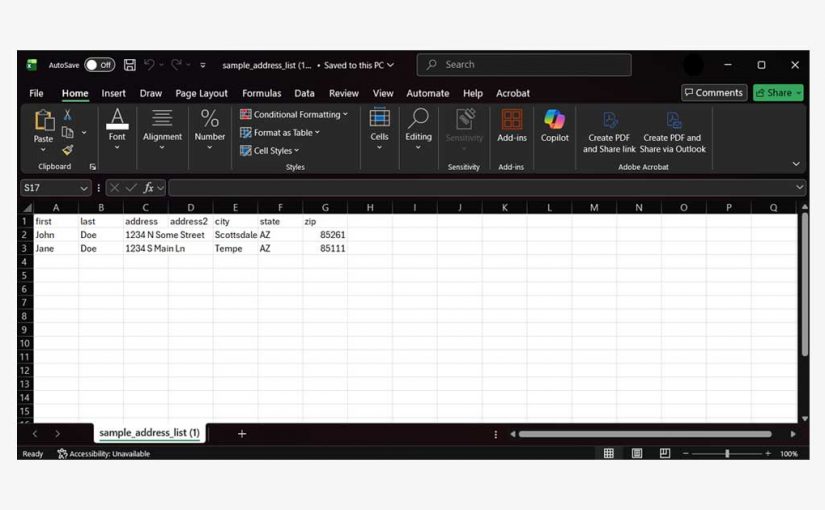
  • Are address lists current and validated?
  • Is compliance built into the process—or handled afterward?

Fixing these issues doesn’t require a full operational overhaul. It requires intentional changes that bring clarity, visibility, and structure to how mail moves through the organization.

2026 doesn’t need new resolutions. It needs fewer weak links.

Looking Ahead

Business mail may not be the loudest part of operations, but 2025 proved it’s one of the most revealing. When it works well, no one notices. When it doesn’t, everything downstream feels the impact.

As teams step into January, the opportunity is simple: leave behind the processes that caused stress, uncertainty, and last-minute scrambles—and carry forward the systems that made mail dependable.

LetterStream makes printing and mailing a breeze. To learn more, click here.

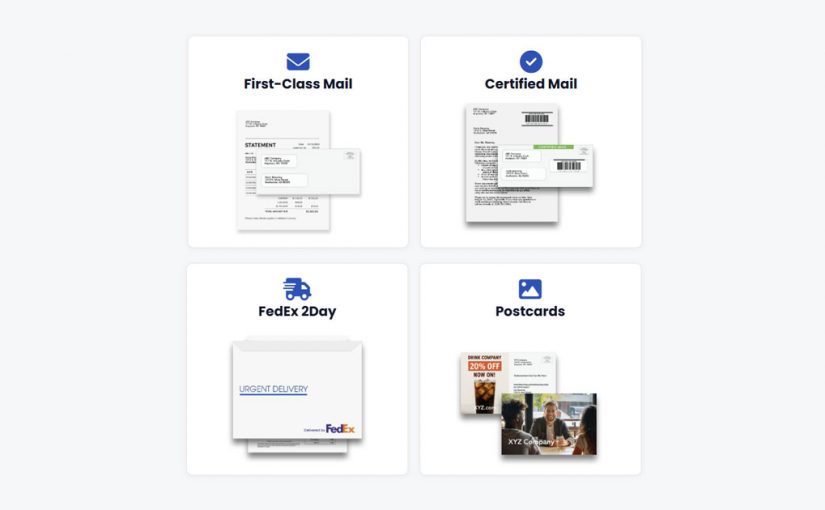
LetterStream offers bulk printing and mailing services allowing companies to send physical mail online. Whether it’s online Certified Mail, First-Class Mail, FedEx 2Day, or postcards, we give both small businesses and large corporations the time and freedom back to work on tasks that better serve the company. If you’re interested in creating a free account, you can do so, here.

Happy Holidays! The Twelve Days of Business Mail (LetterStream Edition)

The holidays are a time to reflect, reconnect, and appreciate the people who make our work meaningful. We’re grateful for our customers who trust us with their mail and for our team who keep everything moving—even during the busiest season of the year.


The holidays bring out the best in businesses—creativity, connection, and yes… a whole lot of mail. So, in the spirit of the season, here’s a playful look at what December really looks like inside The Stream.

On the first day of business mail, The Stream processed for a team:
One envelope labeled “Urgent Year-End Memo.”

On the second day of business mail, we watched across the floor:
Two postcard campaigns
and one envelope labeled “Urgent Year-End Memo.”

On the third day of business mail, the printers hummed with glee:
Three billing batches,
two postcard campaigns,
and one envelope labeled “Seriously—Urgent This Time.”

On the fourth day of business mail, operations said, “Let’s go!”
Four batches certified,
three billing batches,
two postcard campaigns,
and a memo now marked “Final Version (for real).”

On the fifth day of business mail, the workflow came alive:
FIVE YEAR-END UPDATES!
Four batches certified,
three billing batches,
two postcard campaigns,
and one well-traveled memo ready for the world.

On the sixth day of business mail, companies near and far:
Sent six renewal notices
(and yes, all before the deadline).

On the seventh day of business mail, we saw teams push through:
Seven statements sorting,
six renewals rolling,
and everything landing exactly where it needed to be.

On the eighth day of business mail, the StreamLogic took flight:
Eight workflows syncing,
seven statements sorting,
and holidays inching closer.

On the ninth day of business mail, we felt the year-end rush:
Nine reminders mailing,
eight workflows syncing…
and plenty of coffee disappearing.

On the tenth day of business mail, a marketer cheered out loud:
Ten festive mailers shipped,
each one brighter than the last.

On the eleventh day of business mail, a quiet hush appeared:
Eleven projects finished—
the kind businesses save for the home stretch.

And on the twelfth day of business mail, The Stream glowed warm and bright:
Twelve teams celebrating
another year of messages sent quickly, accurately, and reliably.

Because behind every one of those “days” is a business staying connected, closing the year strong, and sending mail that matters.

From our team to yours—

Merry Christmas, and may your season be filled with peace, joy, and perfectly sent out mail! From the LetterStream Team

LetterStream offers bulk printing and mailing services allowing companies to send physical mail online. Whether it’s online Certified Mail, First-Class Mail, FedEx 2Day, or postcards, we give both small businesses and large corporations the time and freedom back to work on tasks that better serve the company. If you’re interested in creating a free account, you can do so here.

LetterStream small logo

How Returned Mail Can Easily Improve Your Address Lists for 2026

By the end of December, most offices have a quiet pile of returned envelopes sitting in a corner—one of those tasks that never feels urgent, but always feels important. Instead of viewing returned mail as clutter, December is the perfect moment to turn it into useful data. With the right approach, those envelopes can help you correct your address lists, prevent repeat errors, and start the new year with cleaner, more reliable information.

Returned Mail Tells a Story—If You Read It

Every returned envelope includes a clue. Some pieces come back because the recipient moved; others list missing apartment numbers, outdated company names, or addresses that were never valid to begin with. The more you look at these patterns, the clearer your data issues become.

This information is especially valuable in December, when organizations reflect on their operations and prepare for a fresh start. Instead of tossing those envelopes aside, treating them like data points gives you a head start on improving next year’s mailing accuracy.

Categorize What’s Coming Back

Even without complicated systems, you can learn a lot by grouping returned pieces. For example, separating them by “moved,” “unknown,” “vacant,” or “insufficient address” helps reveal where your list needs attention. You may notice that certain regions produce more returns, or that an entire batch came from the same outdated database.

These quick insights guide more targeted cleanup, saving your team time in the long run. Once you understand the patterns, fixing them becomes far easier.

Turn December Cleanup Into a January Advantage

The end of the year naturally brings both volume and quiet moments. When mail slows down after the holiday rush, that’s the ideal time to update your records, track any repeat problem addresses, and reconcile lists across departments. This work pays off throughout the next year, reducing postage waste, avoiding delays, and keeping customer information accurate.

Clean data also boosts confidence—both for your internal teams and for the customers you communicate with regularly.

How LetterStream Helps You Reduce Returned Mail

Organizations that send mail through LetterStream and use one of our Address-List Cleanup tools often catch data issues earlier because the system highlights formatting problems, incomplete addresses, and inconsistencies before envelopes are ever prepared. When everything is created and sent online, teams can spot and correct errors long before they turn into returned pieces.

A Small Effort Now Leads to Better Mailing All Year

Treating returned mail as a data source rather than a nuisance transforms how your team approaches address management. A little organization now reduces repeat errors, improves customer communication, and keeps your mailings moving quickly, accurately, and reliably in the year ahead.

To learn more about LetterStream or to sign up for a free account, click here.

LetterStream offers bulk printing and mailing services allowing companies to send physical mail online. Whether it’s online Certified Mail, First-Class Mail, FedEx 2Day, or postcards, we give both small businesses and large corporations the time and freedom back to work on tasks that better serve the company. If you’re interested in creating a free account, you can do so here.

LetterStream small logo

5 Small But Easy Changes That Make Business Mail More Effective

After watching thousands of mailings move through the system each year, clear patterns begin to emerge—patterns about what works, what slows people down, and what captures attention. The smallest refinements often make the biggest impact. This guide highlights five practical changes businesses can make to create mail that’s easier to read, easier to understand, and more likely to get the response they’re hoping for.

Keep Envelopes Clean, Clear, and Easy to Scan

Envelopes make the first impression, and small design choices influence whether someone opens a letter right away or places it in a growing stack of “deal-with-later” mail. Simpler designs typically perform better than cluttered ones. A straightforward return address, a clearly visible window, and minimal distractions help recipients identify who the mail is from and why it matters.

Businesses that send their mail through LetterStream tend to benefit from this consistency automatically, since the system uses streamlined envelope formats that avoid visual overload. A clean layout helps the recipient recognize your organization immediately, reducing hesitation and increasing trust.

Keep Messages Short, Direct, and Organized

Letters that use clear subject lines, short paragraphs, and bolded key statements are easier for recipients to absorb. When people understand the message quickly, they act more quickly too. Dense text slows people down; concise language gives them confidence that they’ve grasped the information without having to reread it.

Choose Timing Carefully

The timing of your mail can make a surprising difference. For many businesses, early-week mailings tend to reach customers during the days they’re most likely to be sorting bills or handling administrative tasks. Likewise, certain months or billing cycles produce predictable bottlenecks that can delay responses.

Taking a few minutes to review the patterns from the past year helps you identify which windows work best. A small shift in timing can reduce delays and improve follow-through—especially for notices that require quick action.

Make the Call to Action Unmistakable

Whether you’re sending a notice, reminder, or request, your call to action shouldn’t hide in a paragraph. Recipients should know exactly what you’re asking them to do within seconds. Clear instructions—paired with simple, readable formatting—set expectations and minimize follow-up questions.

Many LetterStream users rely on standardized templates to keep these key statements front and center. When mail is prepared and sent online, it becomes easier to ensure that every letter includes the same clarity and structure.

Test Small Adjustments and Track the Results

The most effective mailers often make small changes throughout the year and evaluate how each shift affects response times or customer behavior. A tweak to wording, a revised template, or a streamlined paragraph can create measurable improvements in how recipients engage with your messages.

LetterStream makes this testing easier because everything lives in one online environment. When teams update templates or adjust formats, they can compare results over time and refine their communication without juggling multiple versions or outdated files.

Consistency Makes Mail More Effective

Over time, the organizations with the strongest results tend to be the ones that maintain consistent templates, clear wording, and intentional timing. Small adjustments—applied steadily—make business mail more predictable, more professional, and more effective.

To learn more about LetterStream or to sign up for a free account, click here.

LetterStream offers bulk printing and mailing services allowing companies to send physical mail online. Whether it’s online Certified Mail, First-Class Mail, FedEx 2Day, or postcards, we give both small businesses and large corporations that time and freedom back to work on tasks that better serve the company. If you’re interested in creating a free account, you can do so here.
LetterStream small logo

How to Easily Keep Mail Moving When the Office Is Empty

December is one of the most joyful months of the year—and one of the most unpredictable for office schedules. With employees taking well-earned PTO, hybrid work in full swing, and year-end tasks piling up, many teams discover their mail workflows slowing down just when communication matters most. The good news is that with a little planning and a flexible process, your business mail can stay on schedule even when half the team is unplugged for the holidays.

When PTO Creates Unexpected Bottlenecks

Many organizations rely on workflows that work well in September but crack in December. Maybe only one person manages approvals. Maybe one employee knows how to run the office printer. Maybe key sign-offs live on a desk instead of a shared system. When that person is out on PTO, everything waits—sometimes for days.

December exposes these weak points faster than any other month. Teams work from different cities, offices close early, and responsibilities shift temporarily. Mail still needs to go out… it just doesn’t always have someone available to move it forward.

Why December Mail Matters More Than It Seems

Even routine mail carries more weight during the holidays. HOAs are sending reminders, nonprofits are sending acknowledgments, businesses are issuing statements, and many organizations are preparing documents needed for early January. Delays in December often spill into the new year, creating a backlog no team wants to start with.

Customers and members also expect clarity during a season already filled with noise, travel, and weather disruptions. Keeping your mail moving isn’t just operational—it builds trust.

Creating a PTO-Proof Mail Workflow

A resilient December workflow doesn’t depend on one person being at their desk. It relies on processes that can move forward from anywhere. A few adjustments make a big difference:

  • Store templates in a shared, easy-to-access location
  • Standardize approval steps so coverage is clear during vacations
  • Use formats that don’t require specialized equipment
  • Communicate deadlines early so teams can avoid last-minute scrambles

The more your system supports collaboration between remote and in-office team members, the fewer slowdowns you’ll see.

How LetterStream Helps Keep Mail Moving During PTO

Many teams turn to LetterStream in December (and throughout the year, really) because it eliminates the “someone has to be in the office” problem entirely. When your mail can be prepared, reviewed, and sent online, your workflow continues even when key people are out.

Approvals happen digitally. Documents move smoothly from one step to the next. No one needs access to a printer, envelopes, postage, or special equipment. And because LetterStream handles printing and sending on your behalf, every mailing stays fast, accurate, and reliable—even if your office is half empty for the holidays.

For teams navigating rotating schedules, weather closures, and end-of-year responsibilities, this flexibility becomes essential.

Keeping Communication Steady All December Long

A little preparation ensures your mail doesn’t slow down just because your staff is taking a much-needed break. When workflows are clear and supported by the right tools, December becomes far more manageable—and your communication remains uninterrupted, consistent, and dependable.

To learn more about LetterStream or to sign up for a free account, click here.

LetterStream offers bulk printing and mailing services allowing companies to send physical mail online. Whether it’s online Certified Mail, First-Class Mail, FedEx 2Day, or postcards, we give both small businesses and large corporations that time and freedom back to work on tasks that better serve the company. If you’re interested in creating a free account, you can do so here.

LetterStream small logo

How Nonprofits Can Easily Simplify Year End Mail

Year-end is the busiest mailing season for nonprofits. Donations spike, acknowledgments pile up, and tax receipts need to be prepared before the clock strikes midnight on December 31. With so many moving parts, it’s easy for teams to feel stretched thin. This guide breaks down what needs to go out, when it should be sent, and how nonprofits can simplify the entire process—especially when time is tight and staff resources are limited.

Understand the Three Main Types of Year-End Nonprofit Mail

Although year-end mail takes many forms, most charities and nonprofits rely on three core categories. Knowing the purpose of each helps keep communication organized and clear.

Donation Appeals

Appeal letters are designed to inspire giving. They often go out in early or mid-December and focus on impact, gratitude, and a final invitation to contribute before year-end. These letters help donors feel connected to the mission and confident that their support will make a difference.

Thank-You Letters

Thank-yous are the human heart of nonprofit communication. They show appreciation, reinforce trust, and close the loop on a donor’s contribution. These can be sent at any time, but December is an ideal moment to strengthen relationships before the new year begins.

Tax Acknowledgment Letters

The IRS requires that donors receive a written acknowledgment for any single contribution of $250 or more if they want to claim it on their taxes. These letters are often sent in December or early January. They must include the donation amount, a confirmation that the donor received no goods or services in return (if applicable), and your organization’s information.

Keeping these categories straight prevents important documents from being rushed at the last minute.

Timing Matters—Especially in December

During the final weeks of the year, timing can influence donor trust and internal efficiency. Appeals usually work best when sent early enough to stand out amid holiday activity. Thank-you letters should be sent promptly after contributions so donors feel recognized. Tax receipts should be prepared with care and sent no later than early January to avoid last-minute stress for both the nonprofit and the donor.

Clear, timely communication not only fulfills compliance needs but also strengthens long-term donor relationships.

How Nonprofits Can Simplify the Process

Year-end mail can overwhelm even the most organized teams, especially when staff are juggling events, fundraising, and holiday schedules. Breaking the process into manageable steps helps reduce the pressure. Preparing templates ahead of time, organizing donor data carefully, and standardizing acknowledgment language all make a noticeable difference.

Some nonprofits create simple workflows that assign responsibilities based on roles—not physical location—to keep the process moving even when team members are remote or on varied schedules.

How LetterStream Helps Nonprofits During Year-End

Many nonprofits turn to LetterStream when they realize how much of their year-end rush is tied to preparing, printing, and sending large batches of letters. Instead of spending hours stuffing envelopes or waiting on office printers, teams can upload their documents, organize their files, and send everything online—whether it’s a single tax receipt or thousands of year-end appeals.

LetterStream also helps nonprofits stay fast, accurate, and reliable during the busiest weeks of the year. When staff are out of the office or working flexible schedules, the ability to prepare mail from anywhere becomes especially valuable. And because the system highlights formatting and address issues early, nonprofits avoid unnecessary returned mail during a time when every minute counts.

Year-End Mail Doesn’t Need to Be Overwhelming

The final weeks of the year can be stressful, but clear planning and the right tools turn the process into something manageable—and even meaningful. Donors feel appreciated, records stay accurate, and your organization enters January with confidence instead of chaos.

To learn more about LetterStream or to sign up for a free account, click here.

LetterStream offers bulk printing and mailing services allowing companies to send physical mail online. Whether it’s online Certified Mail, First-Class Mail, FedEx 2Day, or postcards, we give both small businesses and large corporations that time and freedom back to work on tasks that better serve the company. If you’re interested in creating a free account, you can do so here.
LetterStream small logo

LetterStream Has a New Look! Introducing Our New, Updated Website

If you’ve visited LetterStream before, you may have noticed something different—we’ve launched a brand-new website design at LetterStream.com. This makeover has been in the works for a while, and we’re thrilled to finally share it with you!

But before we go any further, we want to make one thing clear:

LetterStream is still the same reliable, secure, accuracy-obsessed mailing partner you trust. Nothing has changed in your account, your workflows, or the technology behind the scenes.

This update is all about giving you a better, clearer, and more modern experience when you first discover us. We’re still the same, just with a better-looking website.

Why We Updated Our Website

Old LetterStream Website

Over the years, business mail has evolved—and so have we. We’ve expanded our capabilities, invested in new equipment, strengthened our technology, and continued to support individuals and organizations of all sizes with secure, high-volume, time-sensitive mailing.

But our public-facing website didn’t fully reflect who we are today.

The new site is designed to:

  • Improve the user experience for visitors exploring LetterStream for the first time
  • Clarify our solutions so potential customers can quickly understand how we help
  • Showcase our capabilities with a cleaner, more modern design
  • Align our digital presence with our identity—professional, dependable, and easy to work with

Your secure LetterStream account and all backend systems remain unchanged. Once you log in, you’ll find the same interface and the same reliable service you’re accustomed to. The only difference is that the font is a little nicer.

What’s New?

New LetterStream Website

Our updated brochure-style website features:

  • A refreshed look and feel
  • Clearer navigation for exploring services
  • Better explanations of what we do and how we help
  • A friendlier path for new customers discovering LetterStream

This facelift reflects our commitment to continuous improvement—even when the change is purely visual. We wanted our first impression to match the quality, precision, and care that happen every day inside the LetterStream platform.

What Hasn’t Changed

LetterStream Dashboard

Everything that matters to your business and your daily operations stays exactly the same:

  • Your account
  • Your mailing workflows
  • Our production standards
  • Our security and compliance
  • Our obsession with accuracy and timeliness

LetterStream is still LetterStream—just with a better “front door.”

We’re Excited for What’s Ahead

This new website is the first step in a larger effort to continually improve how we communicate, educate, and support our customers. It’s a reflection of our growth and our ongoing commitment to be the most dependable and easiest-to-use business mailing partner in the industry.

And as always, thank you for trusting us with your critical mail. We’re honored to support your business—and excited to welcome both new and longtime customers to our updated home online.

If you haven’t seen the new site yet, we’d love for you to explore it: Visit the new LetterStream experience → https://www.letterstream.com/

Our LetterStream Help doc talks more about our new website.

LetterStream offers bulk printing and mailing services allowing companies to send physical mail online. Whether it’s online Certified Mail, First-Class Mail, FedEx 2Day, or postcards, we give both small businesses and large corporations that time and freedom back to work on tasks that better serve the company. If you’re interested in creating a free account, you can do so here.
LetterStream small logo

How to Keep Business Mail Moving with Hybrid Teams

December brings its own rhythm to the workplace. Some colleagues work remotely, others take time off, and a few hold down the office while the year winds down. These shifting schedules can make business mail harder to manage, especially when approvals, signatures, or customer notices depend on people who may not be in the building. Yet with the right workflow, distributed teams can keep critical mail moving smoothly—no matter where everyone is working from.

When Schedules Shift, Mail Processes Often Slow Down

Most teams feel the December squeeze at some point: the person who approves mailings is on PTO, the individual who signs checks is out of town, or the mailroom sits in one state while managers are spread across several others. Hybrid work doesn’t create these issues, but it does shine a light on the processes that rely too heavily on someone being physically present.

The result is predictable—mail waits. And waiting during December often means missing deadlines, delaying payments, or slowing down year-end communication.

The Hidden Breakdowns in Distributed Mail Workflows

December makes small inefficiencies more visible. Proofs sit in inboxes longer. A document that needs to be printed stays stuck because only one teammate knows the process. Or someone needs to approve a notice but can’t access the tools from home.

If teams rely on in-office printers or manual handoffs, these gaps widen quickly. Hybrid work works best when every step of the workflow can move independently of where people happen to be sitting.

How LetterStream Helps Hybrid Teams Keep Mail Moving

This is where online mailing becomes a major advantage. When teams prepare and send their mail through LetterStream, they no longer depend on being in the office to keep things on schedule.

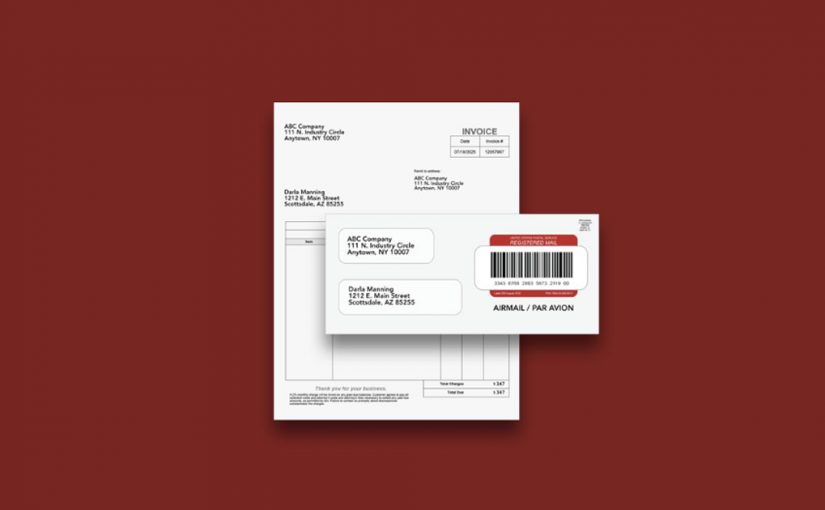
Everything—from uploading documents to reviewing proofs to approving mailings—happens online. A manager can approve a critical notice from another state. A remote employee can prepare end-of-year customer letters without needing access to a company printer. And the handoff to the carrier happens automatically once the job is submitted, keeping the workflow consistent even when staff schedules change.

Many organizations find that LetterStream reduces end-of-year bottlenecks because it eliminates the physical steps that slow teams down. Instead of mail piling up on a desk, everything moves through a simple, trackable process that works for people wherever they are.

December Workflows That Actually Work

When teams take a moment to look at how mail moves through the organization, a few straightforward updates can transform the experience. Clear digital approval steps keep projects moving. Standardized templates reduce questions. And online workflows prevent delays caused by vacation calendars or hybrid schedules.

As more companies rely on distributed teams, the ability to prepare and send mail online becomes a core part of staying efficient during the holidays.

Hybrid Work Doesn’t Have to Slow Down Your Mail

December may add complexity to the workday, but it doesn’t need to disrupt business-critical mail. With flexible systems and online tools that support distributed work, teams can collaborate smoothly, maintain their schedules, and keep every piece of mail moving without interruption.

To learn more about LetterStream or to sign up for a free account, click here.

LetterStream offers bulk printing and mailing services allowing companies to send physical mail online. Whether it’s online Certified Mail, First-Class Mail, FedEx 2Day, or postcards, we give both small businesses and large corporations that time and freedom back to work on tasks that better serve the company. If you’re interested in creating a free account, you can do so here.

LetterStream small logo

News Alert: Mail Delays in Kansas City and Louisville Due to Winter Storm

News Alert

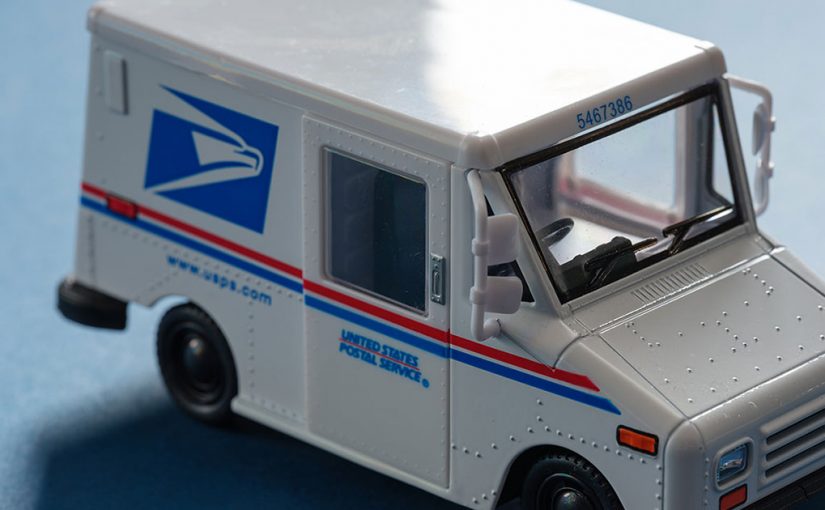
Winter storms across the Midwest have created hazardous road conditions that are now affecting USPS operations. In a new industry alert, the USPS announced unload delays at major processing facilities in Kansas City, MO and Louisville, KY, which may impact mail movement through December 5.

What the USPS Shared in Its Alert

According to the USPS, recent snow events caused extended road closures earlier this week, resulting in a buildup of inbound trailers at both affected facilities. With higher-than-normal volume arriving in a short window, these locations are now experiencing delays unloading incoming mail trucks.

The USPS advised that drop ship customers may see longer wait times and should continue reporting significant issues through the FAST Helpdesk. They also noted active efforts to reduce congestion, including staffing adjustments, scheduled offloads, and alternative drop-site arrangements.

(Reference: USPS Industry Alert — https://postalpro.usps.com/node/14698)

Alternate Entry Locations Recommended by USPS

To keep mail moving, the USPS suggested that customers entering mail at origin consider temporarily using alternate locations.

Kansas City, MO Alternate Sites

  • Oklahoma City, OK Processing & Distribution Center — NASS 730
  • Des Moines, IA Network Distribution Center — NASS 50Z

Louisville, KY Alternate Sites

  • Springdale, OH Annex — NASS 452AX
  • Memphis, TN Processing & Distribution Center — NASS 380

These sites may help relieve pressure on the two impacted facilities until weather-related backlogs improve.

How This Affects LetterStream Customers

If you use LetterStream to print and send mail online, your mailing workflow remains uninterrupted. Our systems continue to process and route mail quickly, accurately, and reliably. However, USPS transport conditions may still affect nationwide transit times, especially during winter months.

For more background on USPS operational changes, you may find these helpful:

If you need a refresher on mailing options, explore: https://www.letterstream.com/

Helpful Tips During Weather-Related USPS Delays

Winter conditions can shift quickly, so this is a good time to review your mailing strategy.

Consider:

  • Mailing earlier when deadlines matter
  • Monitoring USPS service alerts
  • Using tracking services like Certified Mail or FedEx 2Day for visibility
  • Adjusting internal timelines to accommodate possible slowdowns

Staying Updated Through December

The USPS noted that it is actively monitoring weather impacts and making ongoing adjustments to maintain operational flow. As new updates become available, we’ll continue to provide timely summaries to help you stay ahead of potential disruptions.

To learn more about LetterStream or to sign up for a free account, click here.

LetterStream offers bulk printing and mailing services allowing companies to send physical mail online. Whether it’s online Certified Mail, First-Class Mail, FedEx 2Day, or postcards, we give both small businesses and large corporations that time and freedom back to work on tasks that better serve the company. If you’re interested in creating a free account, you can do so here.

LetterStream small logo

How to Review Your Mailroom This December

December is the perfect moment to take a breath, look around your mailroom, and decide what you want to improve before next year’s busy season arrives. Many teams rush through year-end mailings without realizing how much smoother things could run with a quick audit. This guide walks through seven practical areas worth reviewing so your mail operations stay fast, accurate, and reliable in the year ahead.

Start With Your Address List

Before anything else, take inventory of your mailing data. Address lists tend to accumulate small errors over time, and those errors can lead to unnecessary returns or delays during heavy mailing months. December is a natural moment to check for duplicates, outdated entries, missing apartment numbers, and old addresses that need updating. A cleaner list means fewer surprises—and fewer stacks of returned envelopes waiting for attention in January.

Teams that send mail online through LetterStream often notice data issues earlier because the system makes inconsistencies easier to spot. A quick cleanup now can save hours of sorting and re-mailing next year.

Review Your Templates and Letter Formats

Your letter templates may be working, but are they still accurate, branded, and easy to read? Policies change, contact information gets updated, and branding evolves quietly in the background. Reviewing your templates now ensures that everything you send next year reflects the clear and professional tone your customers expect.

Clear subject lines, scannable text, and straightforward messaging also help recipients understand your letter the moment they open the envelope, reducing confusion and follow-up questions.

Clarify What Mail Is Truly Business-Critical

Not all mail carries the same weight. Some notices are time-sensitive and regulatory; others are informational or seasonal. December is a useful time to categorize what absolutely must be sent on a schedule and what can be adjusted, postponed, or moved online. Understanding these categories helps you allocate your team’s effort during peak periods and prevents everyone from scrambling at the same time.

Evaluate Internal Workflows and Bottlenecks

Most bottlenecks hide in plain sight. It may be a single person who handles approvals, a printer that only one or two team members can troubleshoot, or a handoff process that depends on everyone being physically in the office. These small friction points slow things down more than most teams realize.

Online mailing tools—like The Stream from LetterStream—can reveal these slow spots because they consolidate steps that normally involve multiple stages or people. When everything moves through one system, delays become easier to see and resolve.

Review Timing Patterns Throughout the Year

Think about when your mailroom felt busiest. Were certain months or billing cycles especially overwhelming? Did deadlines stack up at the same time every quarter? Understanding these patterns helps you shift preparation earlier, schedule support during peak weeks, or streamline certain notices before the pressure hits again.

Even small changes to timing can make your next busy season feel much more manageable.

Check That Your Records and Logs Are Up to Date

If your team logs returned mail, tracks outgoing volumes, or collects proof-of-mailing documents, December is an ideal time to confirm everything is current and accurate. Inconsistent documentation creates confusion later—especially when you need to reference a specific mailing or timeline.

When records are organized and current, you gain clearer insight into what’s working and what needs improvement next year.

Consider Whether It’s Time to Outsource Your Mailings

A year-end audit often raises an important question: Should we keep managing all of this in-house?

If your team spends valuable time printing, stuffing envelopes, fixing jams, or waiting on approvals, outsourcing some or all of your mail may free up significant hours.

Many organizations turn to LetterStream when they realize how much smoother operations become when they can print and send their mail online instead of relying on manual, on-premise processes. Outsourcing doesn’t replace your mailroom—it supports it by removing the repetitive, time-consuming steps so your team can focus on higher-value work.

A Strong Start Begins With a Thoughtful December

A quick year-end review can help your team catch small issues before they become bigger ones. By cleaning up data, refining templates, spotting bottlenecks, and deciding what truly needs to stay in-house, you set the stage for smoother, more efficient mail operations in the year ahead.

To learn more about LetterStream or to sign up for a free account, click here.

LetterStream offers bulk printing and mailing services allowing companies to send physical mail online. Whether it’s online Certified Mail, First-Class Mail, FedEx 2Day, or postcards, we give both small businesses and large corporations that time and freedom back to work on tasks that better serve the company. If you’re interested in creating a free account, you can do so here.

LetterStream small logo